
Introduction
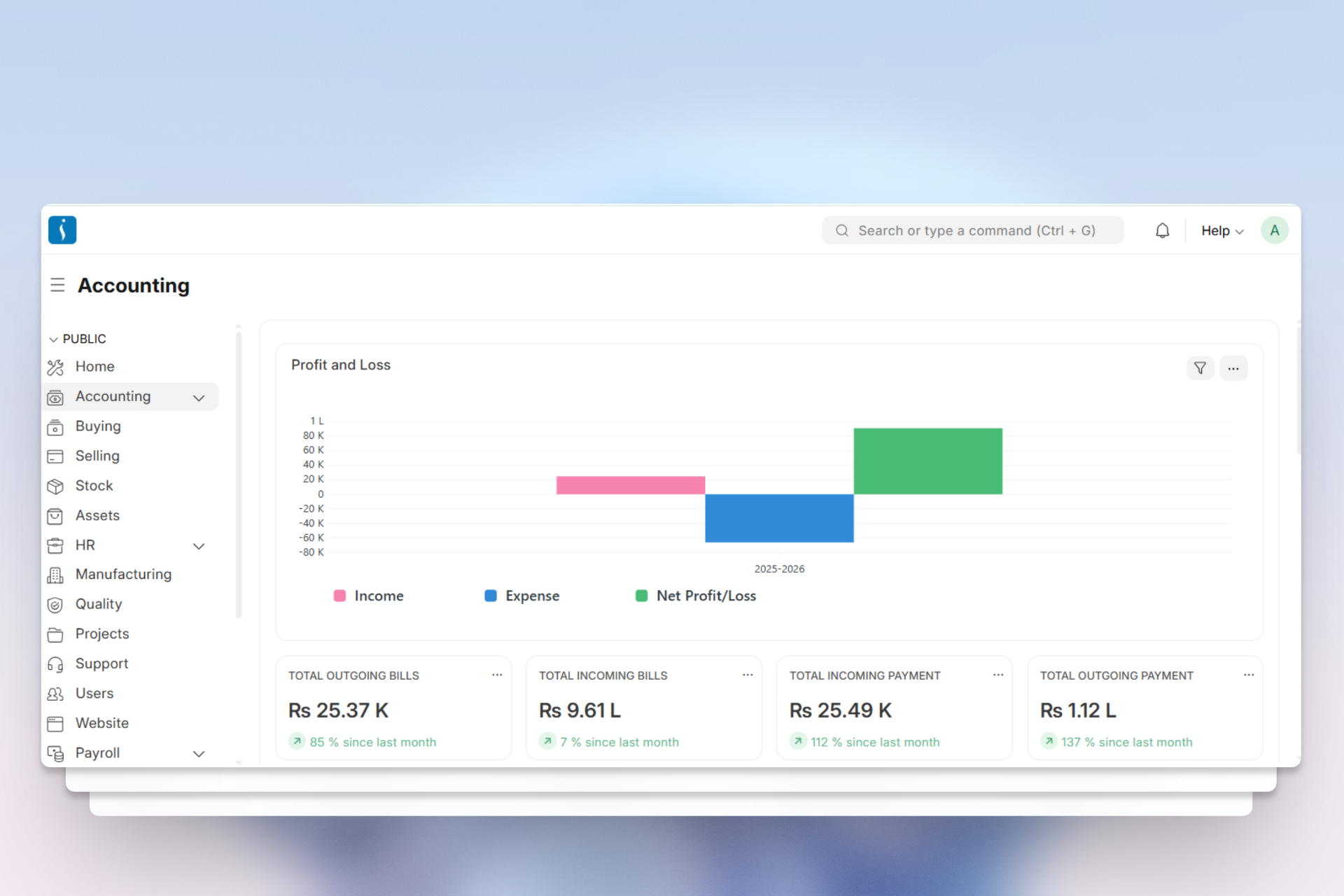
The UniERP Accounting Module is the backbone of any business’s financial management system. Without proper financial control, decision-making can become inaccurate and risky. This module provides a powerful system for managing financial activities with real-time tracking, automation, and accurate reporting.
What is Accounting?
Accounting is the process of recording and managing financial transactions of a business.
This process tracks income, expenses, assets, and liabilities. It also organizes financial data in a structured way.
Businesses use accounting to prepare reports like Profit & Loss and Balance Sheets. These reports help organizations understand their financial performance. In addition, accounting supports decision-making for growth and planning. In simple terms, accounting shows the financial health of a business.
Accounting Modules in UniERP
1. Accounting Masters
Company
A Company is the main entity for managing accounting activities. Within UniERP, the system records all financial data and transactions under a specific company.
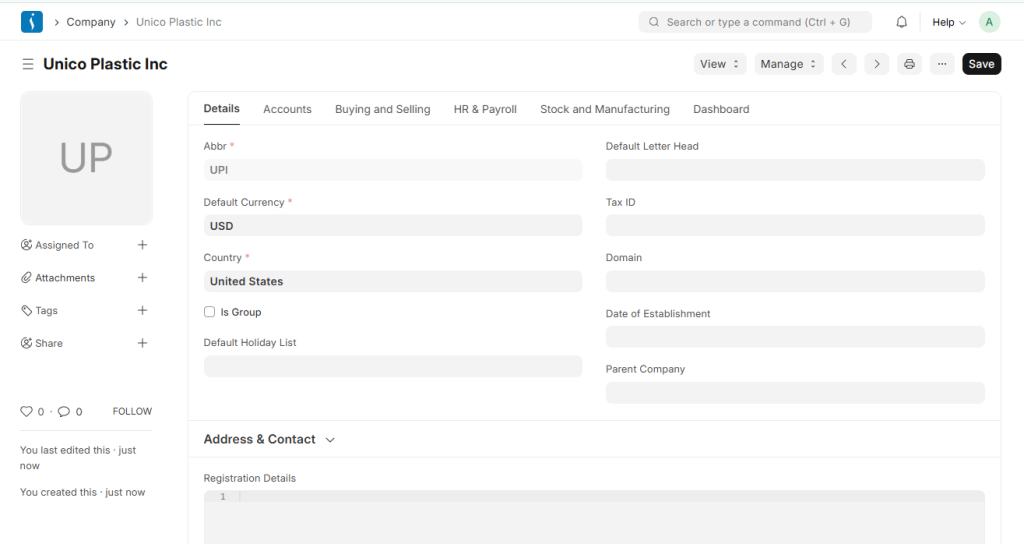
Chart of Accounts
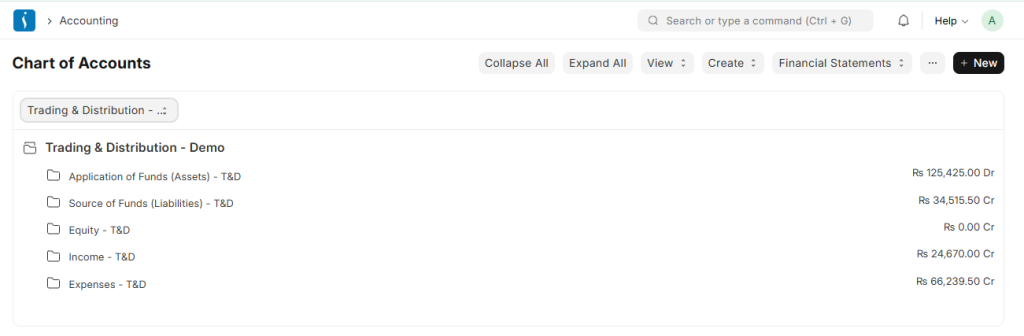
The Chart of Accounts serves as the structured framework for organizing all financial accounts within an organization.
It follows the globally accepted double-entry accounting system, which ensures that every financial transaction is properly recorded and helps measure the company’s financial performance accurately.
Fiscal Year
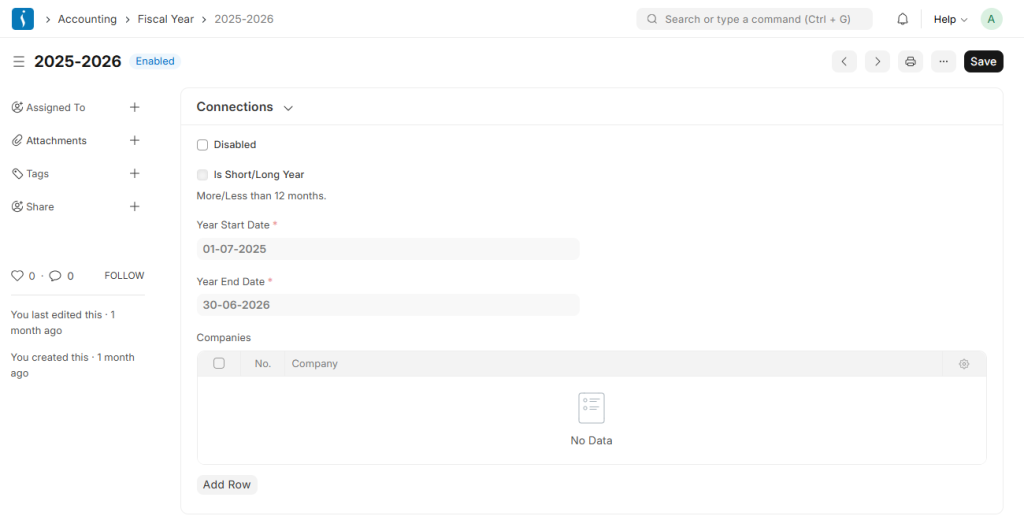
A Fiscal Year defines a period used to record and report financial transactions over the course of a year.
People also call it a financial year or budget year. It is essential for preparing financial statements in businesses and organizations.
A fiscal year does not always align with the calendar year and can vary depending on an organization’s reporting needs.
Finanace book
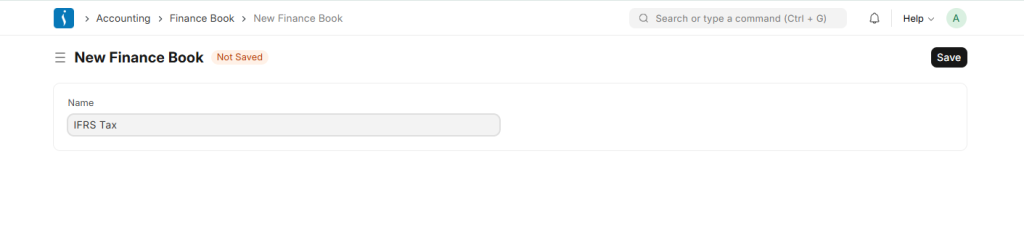
A Finance Book records and manages accounting transactions. Organizations can create multiple finance books for different purposes. For example, they may use one book for tax reporting and another for shareholders.
This approach allows businesses to apply different accounting treatments, such as varying depreciation methods. It also enables them to prepare alternative financial statements for internal use. A Finance Book is optional and not required for basic accounting.
If users do not select a Finance Book in a Journal Entry, the system records the transaction in all finance books.
Accounting Period
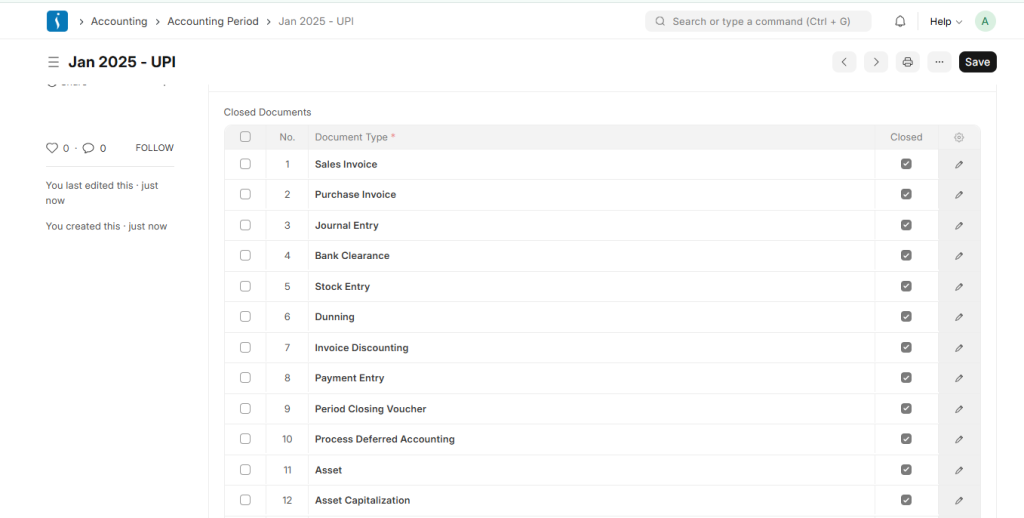
An Accounting Period refers to a specific time frame during which financial transactions are recorded and financial statements are prepared.
In UniERP Accounting, it defines a controlled period within which selected transactions such as Sales Invoices, Purchase Invoices, Stock Entries, Payroll Entries, and Journal Entries can be created. The system restricts any transactions outside this defined period, ensuring that users only enter data within the allowed Accounting Period.
Payment Term
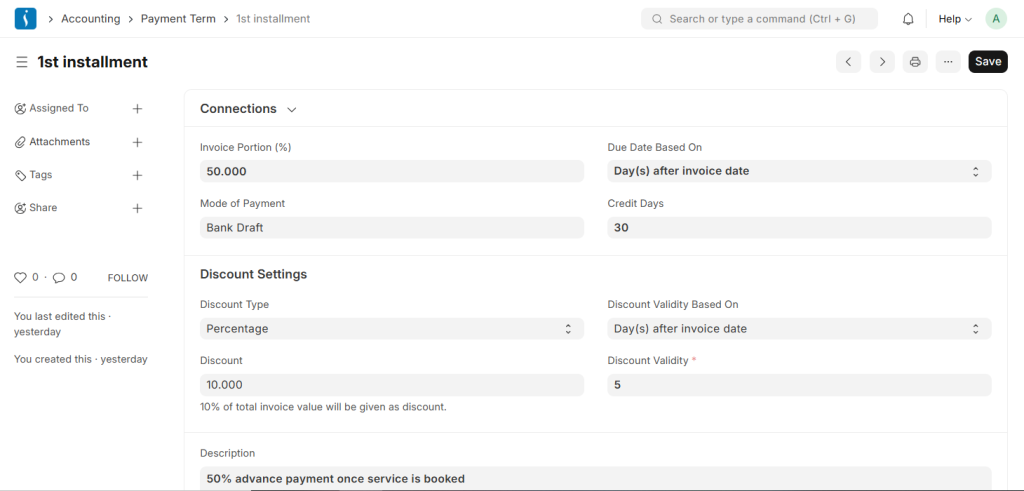
A Payment Term defines the schedule according to which payments are made.
It specifies how and when a user must complete the payment.
Payment Terms can be applied to documents such as:
- Sales Invoice
- Purchase Invoice
- Sales Order
- Purchase Order
- Quotation
2. Payments
Sales Invoice
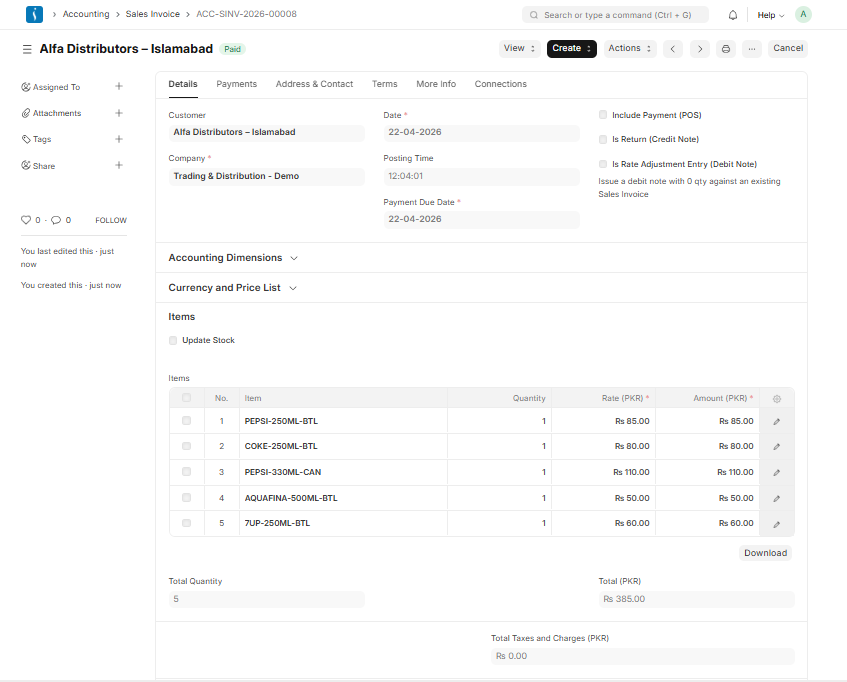
A businesses issue a Sales Invoice to customers that outlines the amount they owe for goods or services, based on which they make the payment.
Purchase Invoice
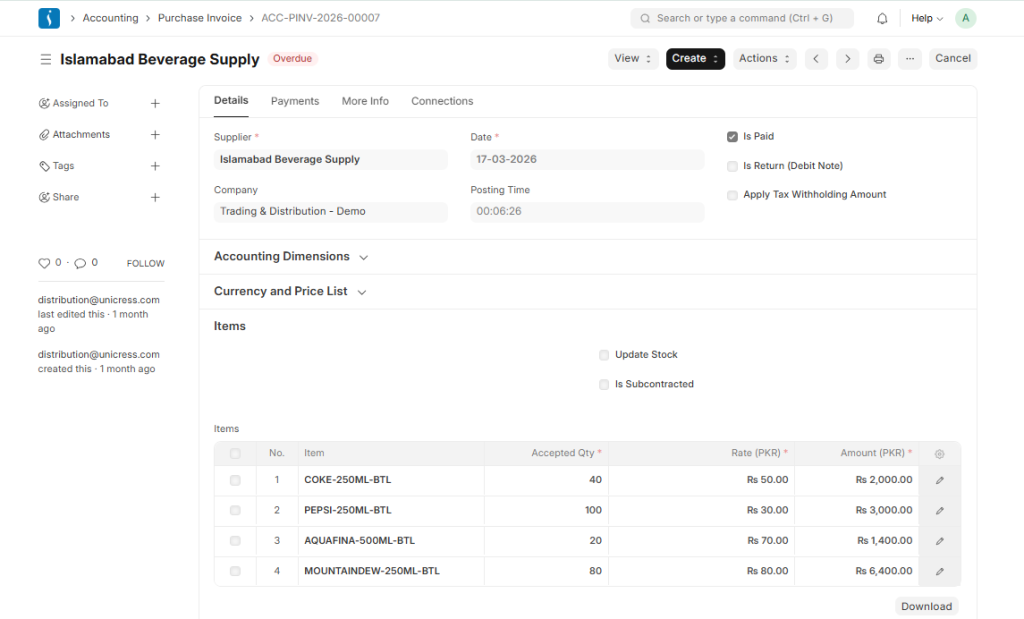
A businesses receive a Purchase Invoice from suppliers that specifies the amount payable, which you are required to settle as payment.
Payment Entry
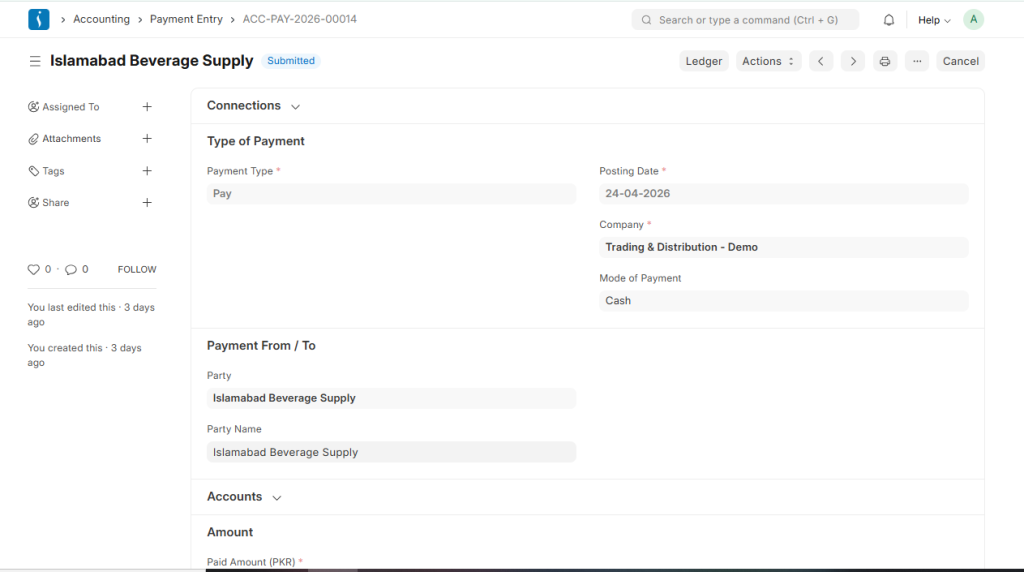
A Payment Entry is a record that confirms a users have made the payment against an invoice.
Journal Entry
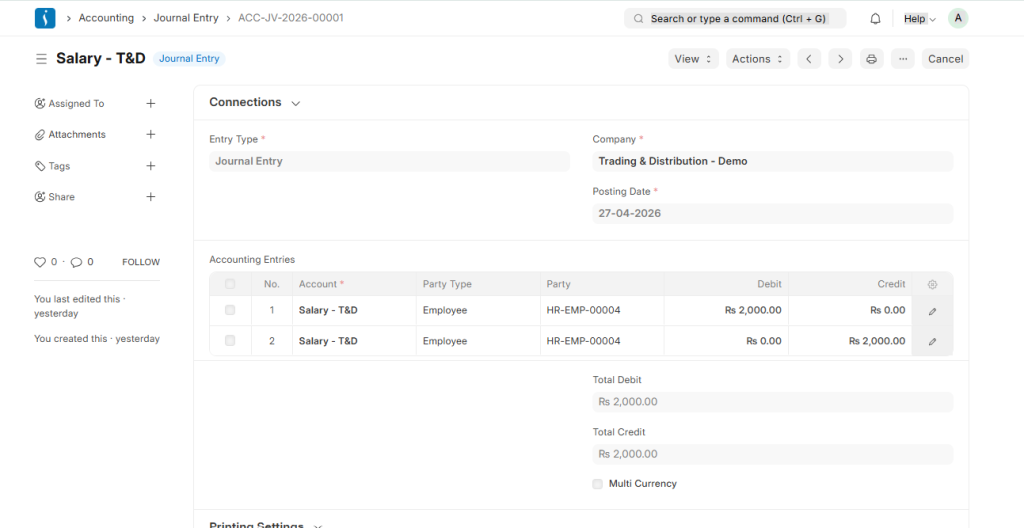
A Journal Entry records transactions in the general ledger and shows which accounts are affected by a transaction.
This is a versatile accounting entry where users can select both debit and credit accounts.
Journal Entries are used to record various transactions such as expenses, opening balances, contra entries, bank payments, and excise entries.
Mode of Payment
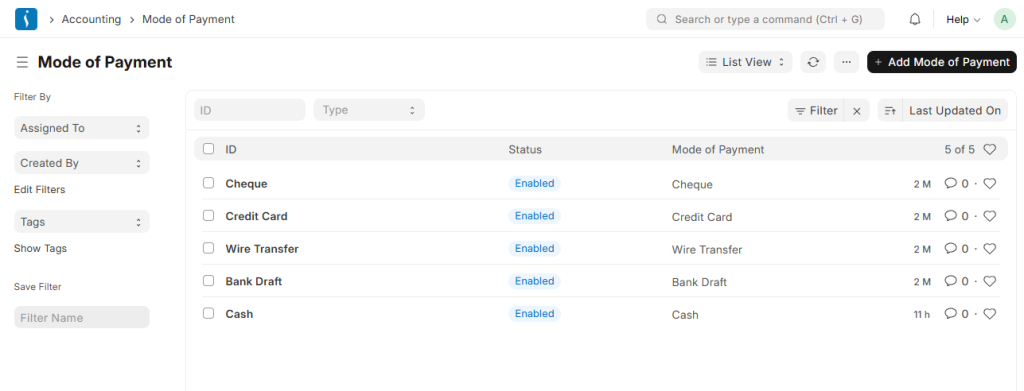
A Mode of Payment defines the method used to make or receive payments. It specifies the medium through which a user completes a transaction. Examples include cash, bank transfer, or cheque. This helps organize and track different payment methods in accounting.
3. Tax Masters
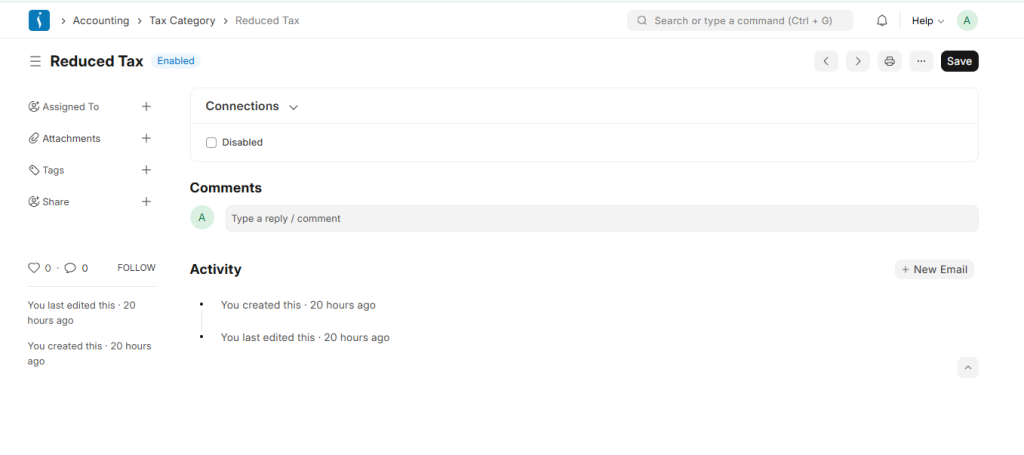
TAX Category
A Tax Category applies to apply one or more tax rules to transactions. It helps define how the system applies taxes based on different conditions. These conditions may include customer, item, or transaction type.It ensures accurate and flexible tax handling in accounting.
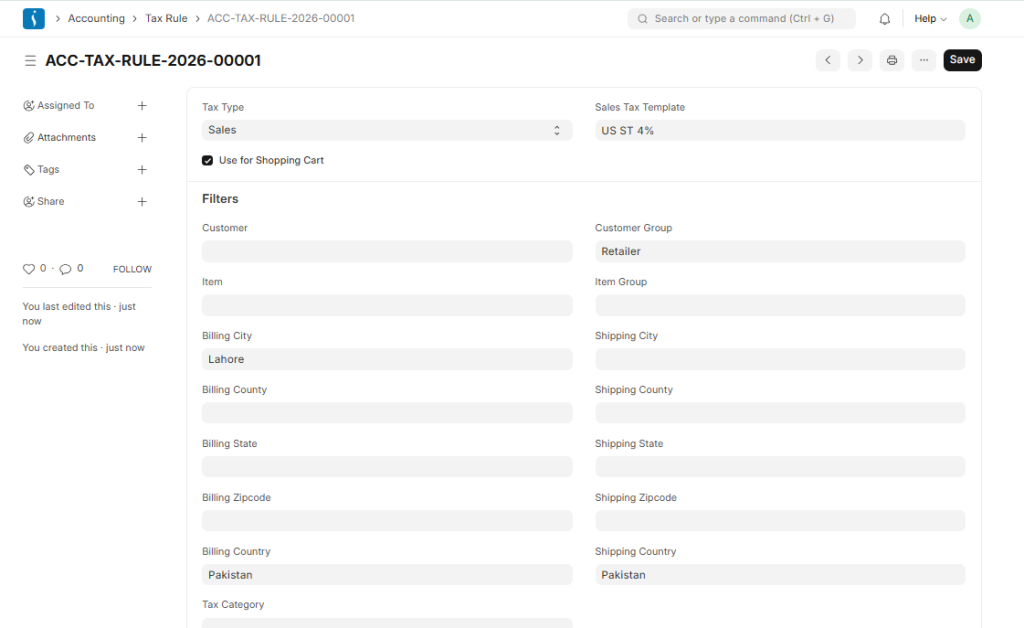
TAX Rule
UniERP accounting system automatically assigns a Tax Rule to transactions based on predefined conditions.It ensures the system applies taxes without manual selection each time.These rules can depend on factors like customer, item, or location.It helps maintain consistency and accuracy in tax calculation.
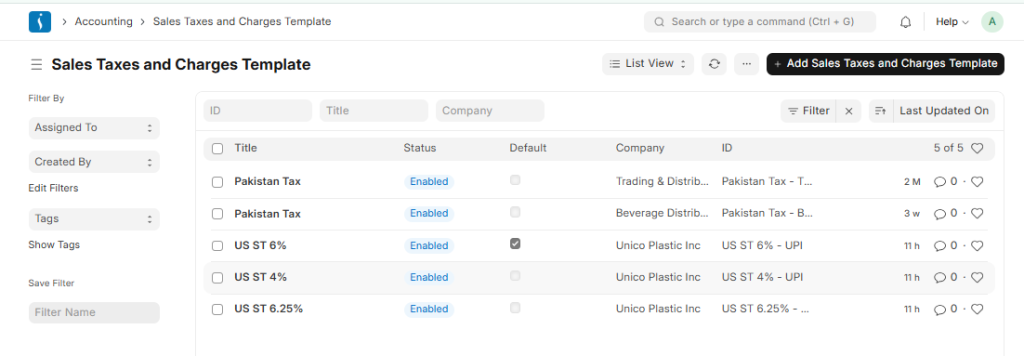
Sales Taxes and Charges Template
A Sales Taxes and Charges template defines a predefined structure to apply taxes and additional charges on sales transactions.It allows businesses to set standard tax rules for consistency across invoices. This template can include multiple taxes such as VAT, GST, or other charges.It simplifies tax calculation and ensures accurate application in sales documents.
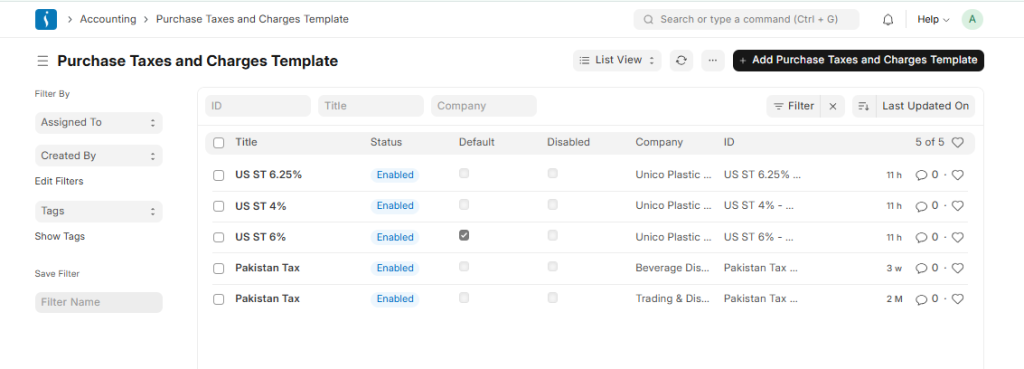
Purchase Taxes and Charges Template
A Purchase Taxes and Charges Template defines a predefined setup to apply taxes and additional charges on purchase transactions.It helps standardize tax rules across all purchase invoices.The template can include multiple taxes such as VAT, GST, or other applicable charges.It ensures accurate and consistent tax calculation in purchase documents.
4. Cost Center and Budgeting
Cost Centers
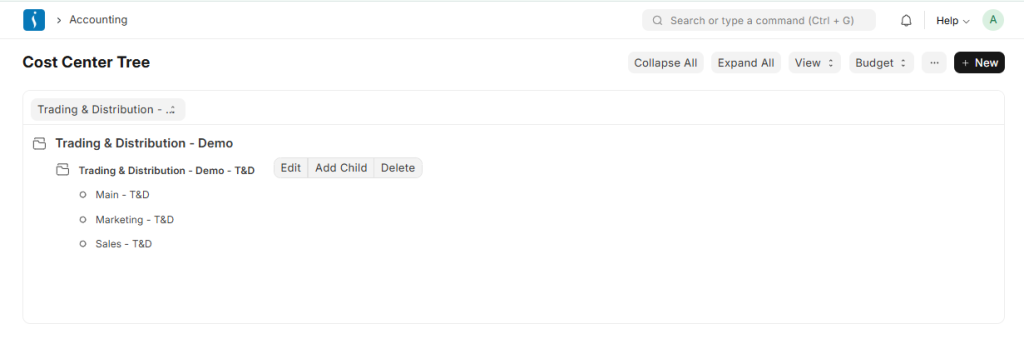
A Cost Center is a segment of an organization where users allocate and track income or expenses.
In UniERP, a Cost Center can also function as a Profit Center for reporting purposes.
Businesses mainly use the Chart of Accounts for financial reporting to government and tax authorities. However, they often need additional internal reporting structures for better analysis.
Cost Centers help track the profitability of different business activities such as product lines, departments, or market segments by capturing shared and direct costs separately.
Cost Center Allocation
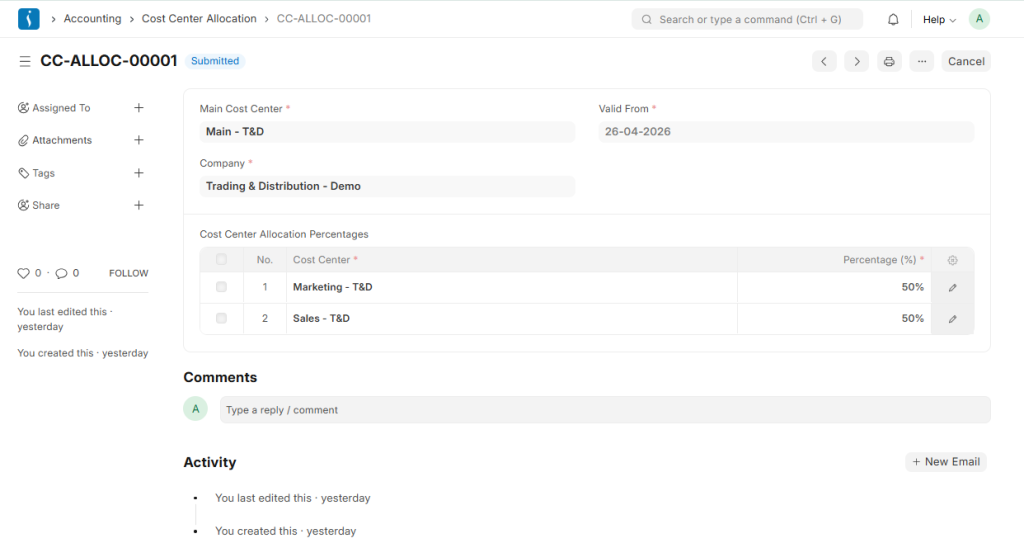
Cost Center Allocation is a feature that allows the system to distribute a single general ledger entry across multiple cost centers. In the Cost Center Allocation document, users define allocation percentages for child cost centers.
In a growing business, analyzing income and expenses for each business unit separately is important. To achieve this, businesses treat each unit as a cost center. However, manually splitting transactions for every entry can become complex and time-consuming.
Cost Center Allocation solves this problem. In ERP systems, users define allocation percentages under a main cost center for its child cost centers. Whenever a transaction is posted against the main cost center, the system automatically distributes the amount according to the defined percentages and creates separate ledger entries for each child cost center.
Budget
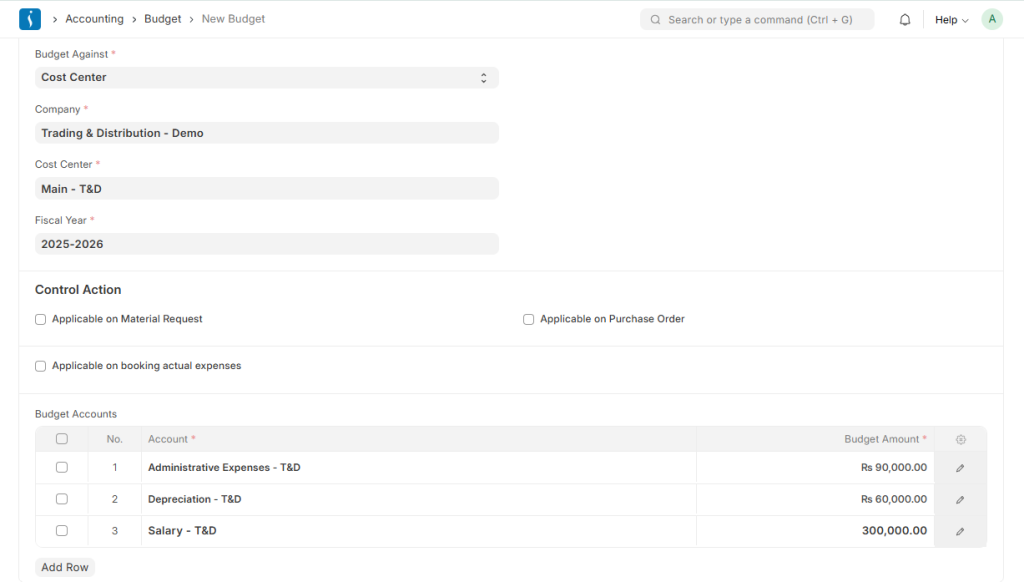
Budgeting is a financial planning process that helps control and manage a company’s expenses.
It limits spending by defining how much can be spent, where it can be used, and within which fiscal period.
In UniERP, businesses set budgets against a single dimension such as a Cost Center, Project, or Accounting Dimension. These budgets help plan expenses in advance and prevent overspending within the organization.
Accounting Dimension
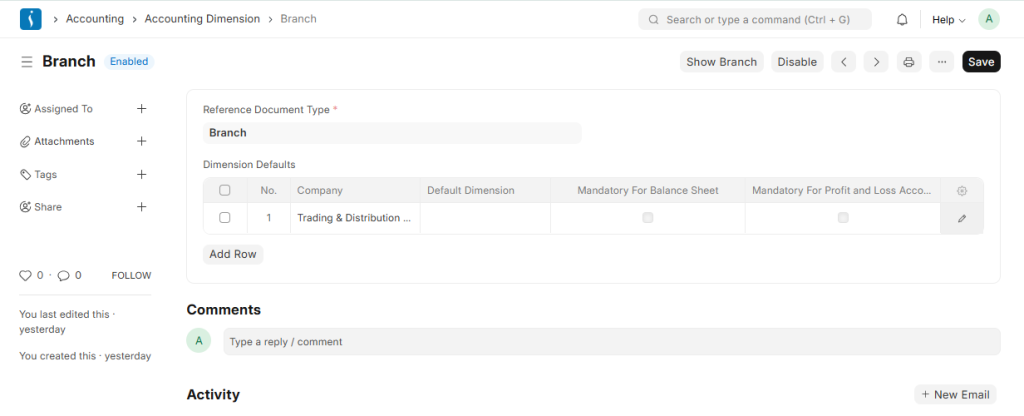
Dimensional Accounting is a method of recording transactions by tagging them with relevant dimensions such as Branch, Business Unit, or other categories.
It helps track each segment separately and reduces the need to create multiple General Ledger accounts, keeping the Chart of Accounts clean and organized.
In ERP systems, Cost Center and Project are treated as default accounting dimensions. When an Accounting Dimension is enabled, it becomes available in relevant transaction forms and reports.
ERP systems also allow users to create custom accounting dimensions for better financial analysis and reporting.
5. Multi Currency in Accounting Module
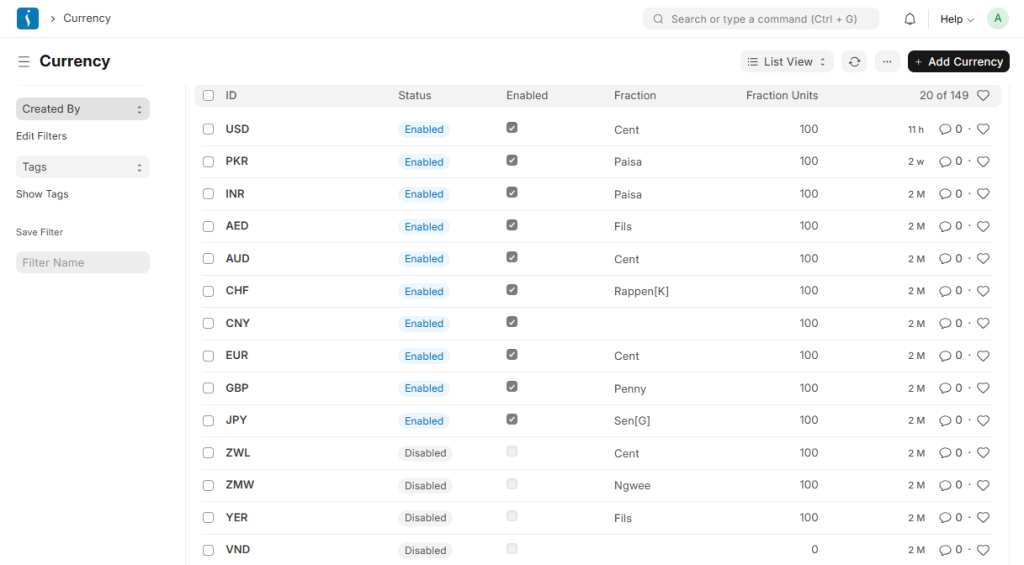
Currency
Currency refers to the system of money used in a country for financial transactions.
It records, measures, and reports financial values in accounting.
In ERP systems, currency helps manage transactions in different monetary units such as PKR, USD, or EUR.
It also enables businesses to handle multi-currency transactions and produce accurate financial reports.
Currency Exchange
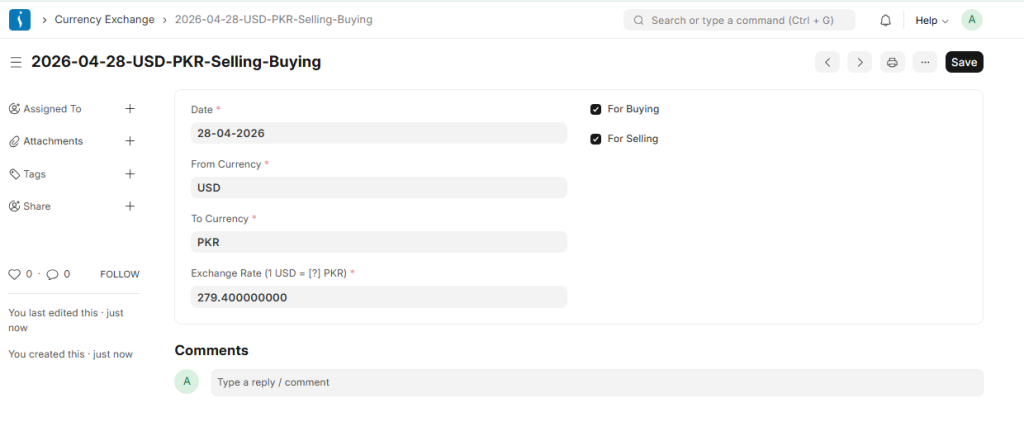
The Currency Exchange form in UniERP stores manually defined exchange rates set by users.
By default, ERPNext automatically fetches live market exchange rates for different currencies. However, users can also define fixed exchange rates manually if needed.
To use manually stored rates, users must enable the “Allow Stale Exchange Rates” option in the Accounts Settings.
Once enabled, ERPNext uses the exchange rates defined in the Currency Exchange form instead of automatically updated market rates.
Exchange Rate Revaluation
In UniERP, accounting entries can be recorded in multiple currencies. For example, if a bank account is maintained in a foreign currency, users can make transactions in that currency, and the system displays the bank balance accordingly.
The Exchange Rate Revaluation feature adjusts General Ledger balances based on changes in currency exchange rates.
Businesses typically use this feature at the time of closing financial books to update account values and reflect the correct worth of foreign currency balances in company accounts.
6. Banking in UniERP Accounting Module
In UniERP’s Accounting Module, the Banking section plays an important role in managing bank-related data. It provides a centralized system for handling all banking activities efficiently.
Users can create and maintain multiple bank accounts, record transactions such as deposits, withdrawals, and transfers, and reconcile bank statements to ensure accurate financial records.
Bank
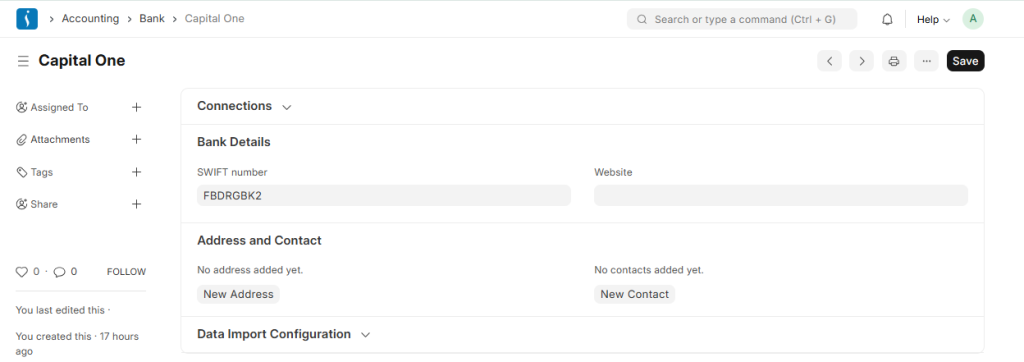
In UniERP accounting systems, businesses use a bank account to record all financial transactions related to cash held in the bank. It helps track deposits, payments, and transfers in an organized and structured way. Banks play a key role in maintaining secure and accurate financial records for businesses.
Bank Account
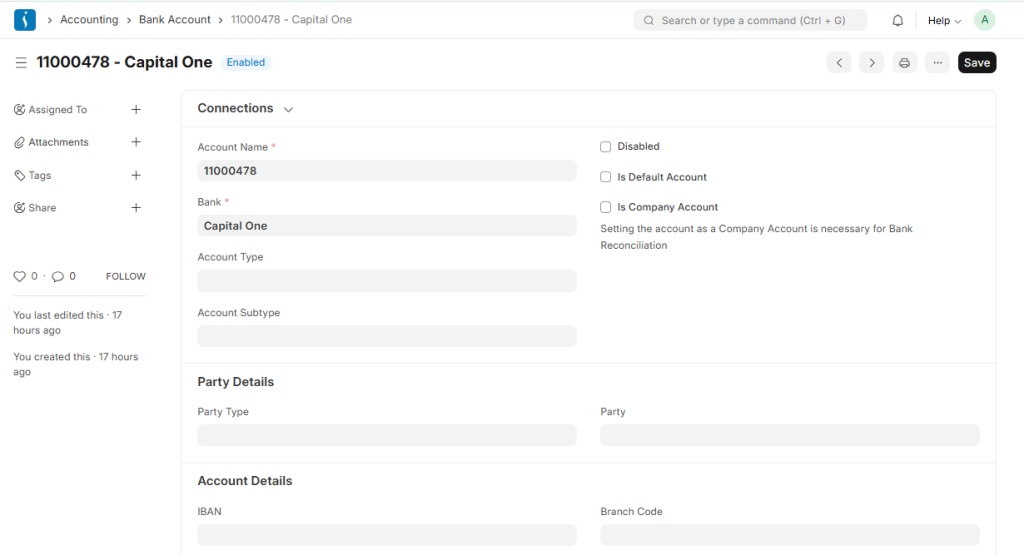
Businesses use a Bank Account in UniERP to manage and record all transactions related to a company’s bank. It stores details of different bank accounts such as account number, bank name, and currency. All deposits, withdrawals, and transfers are recorded through this account. This helps maintain accurate tracking and reconciliation of bank transactions within the system.
Bank Reconciliation
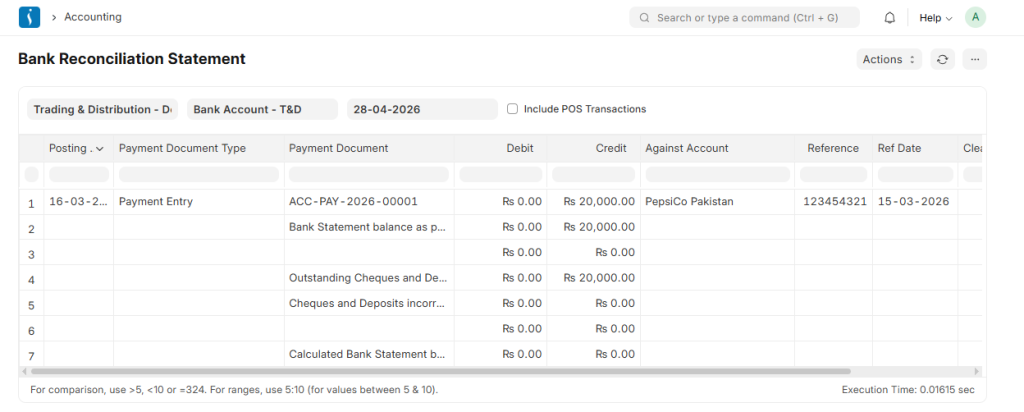
The Bank Reconciliation Report shows the difference between the balance in an organization’s bank statement and the balance recorded in the company’s Chart of Accounts.
This report helps identify and explain any discrepancies between the two balances.
7. Opening and Closing
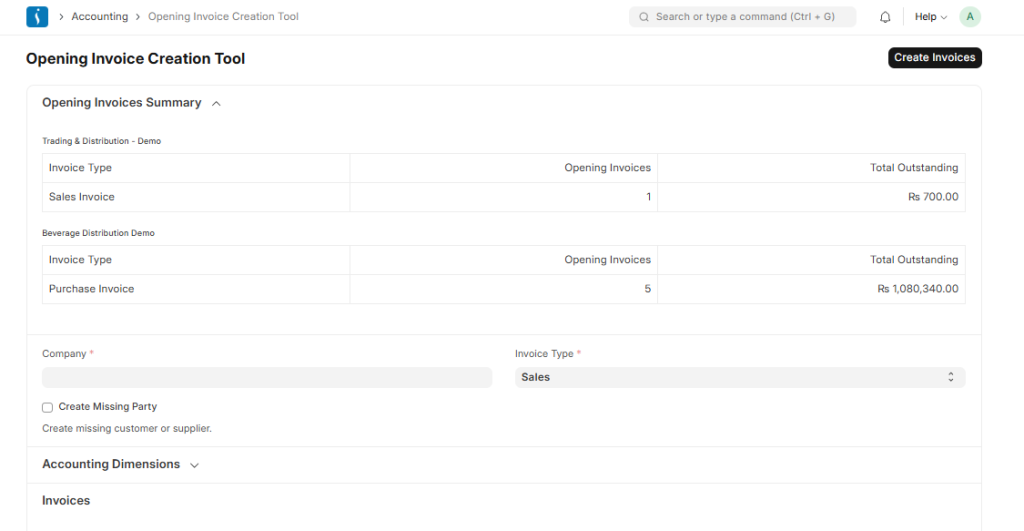
Opening Invoice Creation Tool
The Bank Reconciliation Report compares the balance in an organization’s bank statement with the balance recorded in the company’s Chart of Accounts. This report helps identify and explain any discrepancies between the two balances.
Period Closing Voucher
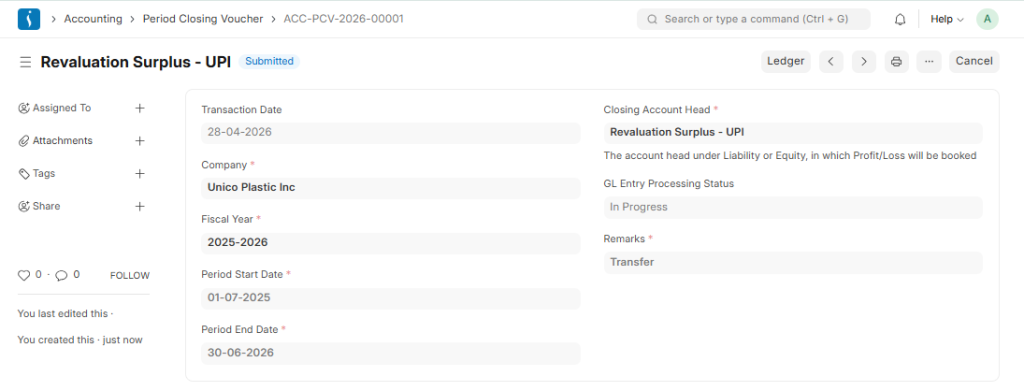
A Period Closing Voucher confirms that the profit or loss for a specific accounting period has been settled, allowing the books to start afresh.
At the end of a financial period such as yearly, quarterly, or monthly, businesses close their books after completing the audit process.
During this process, accountants make special adjustments, including depreciation, asset value changes, tax and liability deferrals, and bad debt updates.
8. Shareholder Management System
A Shareholder Management System is used by companies to maintain and manage information related to shareholders. The system records details such as shareholder profiles, shareholding structure, and ownership percentages. It also tracks share transactions, dividends, and changes in ownership over time. This ensures accurate reporting and transparency in managing company equity.
Shareholder
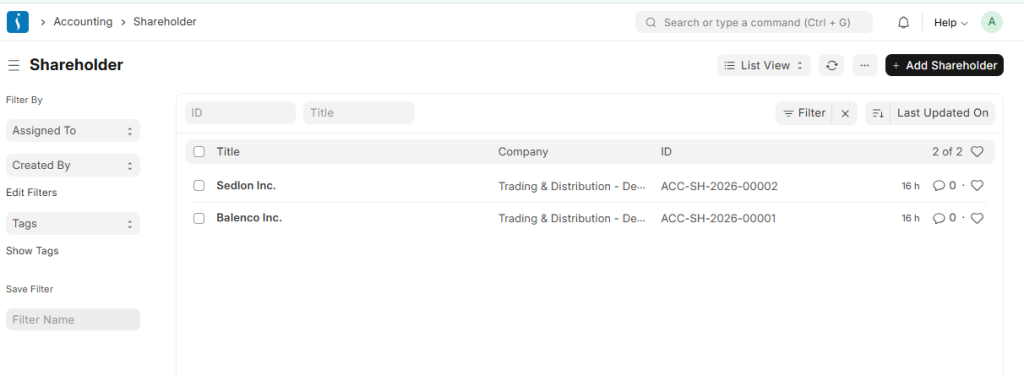
A Shareholder is an individual, company, or organization that owns at least one share of a company’s stock.
Shareholders are considered part-owners of the company and benefit from its success through an increase in share value. When the company performs well, the value of shares may rise, resulting in profit for shareholders. However, when the company performs poorly, shareholders may face losses due to a decline in share value.
Share Transfer
A Share Transfer is the process of transferring ownership of shares from one person or entity to another. It involves updating company records to reflect the new shareholder. This process may occur through the sale, gift, or inheritance of shares. It ensures that legal ownership of shares is accurately maintained in the system.
Share Ledger
A Share Ledger is a record that tracks all share-related transactions of a company. It maintains details of share issuance, transfers, and ownership changes. Each shareholder’s holdings and transaction history are recorded in this ledger. It ensures accurate tracking and reporting of company equity.
Share Balance
A Share Balance represents the total number of shares held by a shareholder at a given time. It reflects the net position after all share transactions such as purchases, transfers, or sales. This balance helps determine the ownership percentage in the company. It is used for reporting, dividend calculation, and tracking shareholder equity.
Conclusion
The UniERP Accounting Module simplifies and strengthens financial management by bringing all accounting activities into one integrated system. It enables businesses to record transactions accurately, manage taxes efficiently, control budgets, and monitor financial performance in real time. With features like multi-currency support, banking integration, and detailed reporting, it helps organizations maintain transparency and consistency in their financial processes.
By using structured tools such as the Chart of Accounts, Cost Centers, and Accounting Dimensions, businesses can gain deeper insights into their operations and make informed decisions. Whether managing daily transactions or closing financial periods, UniERP provides the control and flexibility needed for smooth financial operations.
In short, the UniERP Accounting Module not only improves accuracy and efficiency but also empowers businesses to grow with confidence by maintaining a clear view of their financial health.