Introduction
In modern healthcare, hospitals and clinics need efficient systems to manage patients, doctors, appointments, billing, and medical records. Manual processes often lead to delays, errors, and poor patient experience.This is where UniCare becomes essential.
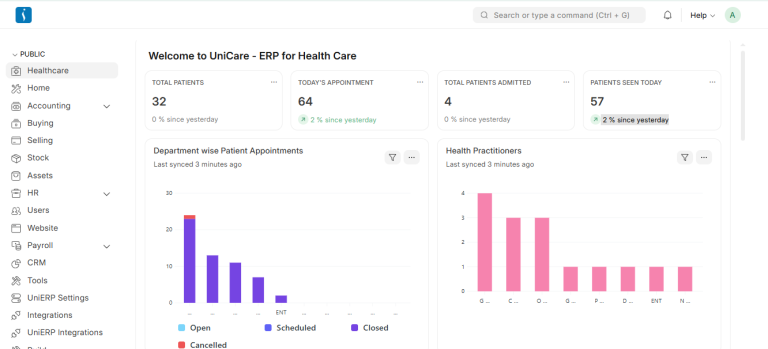
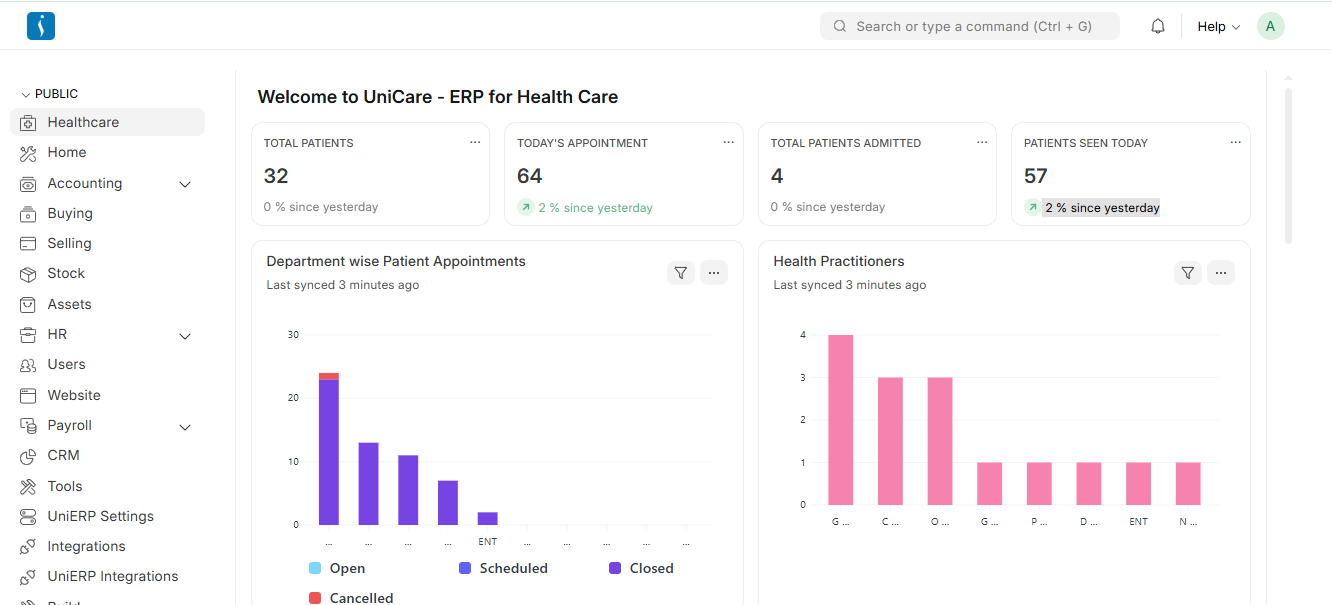
UniCare is a powerful hospital management system designed to streamline healthcare operations. It helps hospitals manage everything from patient registration to laboratory tests, pharmacy, and inpatient care within a single platform.
Problems in Traditional Hospital Management
Many hospitals still rely on manual records or disconnected software systems. This creates several challenges such as:
- Difficulty managing patient records
- Appointment scheduling conflicts
- Slow billing and payment processes
- Poor coordination between departments
- Inefficient lab test management
These issues reduce operational efficiency and affect patient satisfaction.
What is UniCare?
UniCare is an ERP-based healthcare management system that integrates all hospital operations into one centralized platform. It allows healthcare providers to manage administrative, clinical, and financial processes efficiently.
The system helps hospitals automate daily tasks and maintain accurate medical records, ensuring better healthcare services.
Healthcare Modules in UniCare
1. Masters
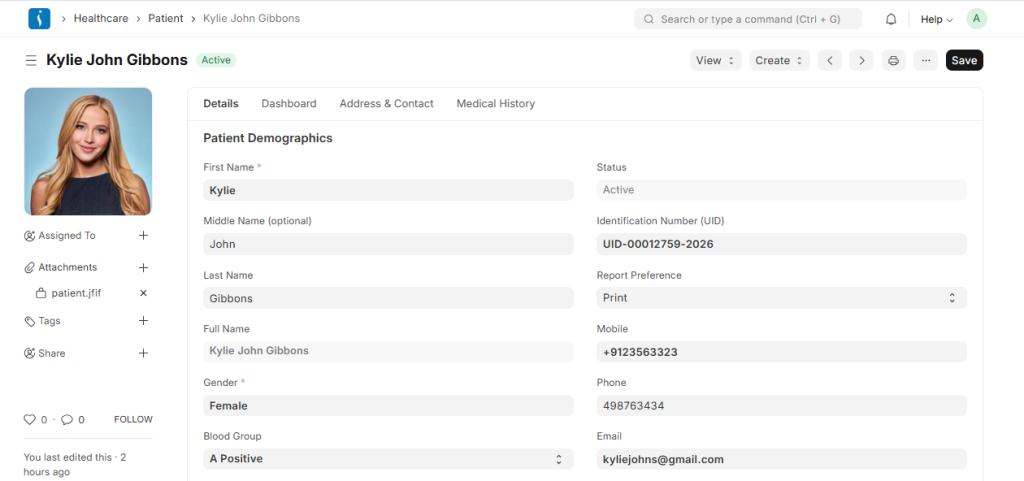
The Masters Module in a UniCare manages the essential master data required to run hospital operations smoothly. It stores the basic information about patients, doctors, departments, schedules, and care types.
● Patient: Stores the basic information of every patient, including personal details, contact information, and medical history. This record is used across appointments, encounters, and medical treatments.
● Healthcare Practitioner: Maintains the details of healthcare professionals such as doctors, nurses, and therapists. It includes their specialization, department, and professional information.
● Practitioner Schedule: Defines the working schedule of healthcare practitioners. It helps manage doctor availability for patient appointments and ensures proper time management in the hospital.
● Medical Department: Organizes the hospital into different departments such as Cardiology, Radiology, Laboratory, and Emergency. This helps categorize practitioners and medical services.
● Patient Care Type: Specifies the type of care a patient receives, such as outpatient or inpatient. It helps the system determine the appropriate workflow for patient treatment and hospital services.
2. Consultation
The Consultation Module manages the complete process of patient consultation from booking an appointment to performing medical procedures. This module helps healthcare practitioners record patient information, monitor health conditions, and provide appropriate treatment in a structured and efficient way.
● Patient Appointment: This feature allows patients to schedule appointments with healthcare practitioners. It records the appointment date, time, practitioner, and department, helping hospitals manage patient visits and doctor availability efficiently.
● Vital Signs: Vital signs capture the patient’s basic health measurements such as blood pressure, body temperature, pulse rate, respiratory rate, and oxygen level. These measurements help doctors understand the patient’s current health condition before starting the consultation.
● Patient Encounter: A patient encounter represents the actual consultation between the doctor and the patient. During this stage, the doctor records the patient’s symptoms, diagnosis, prescribed medicines, lab tests, and recommended treatments.● Clinical Procedure: Clinical procedures refer to medical procedures performed on the patient during or after the consultation, such as IV drip, vaccination, wound dressing, or minor surgical procedures. These procedures are recorded in the system for proper medical documentation and billing.
3. Orders
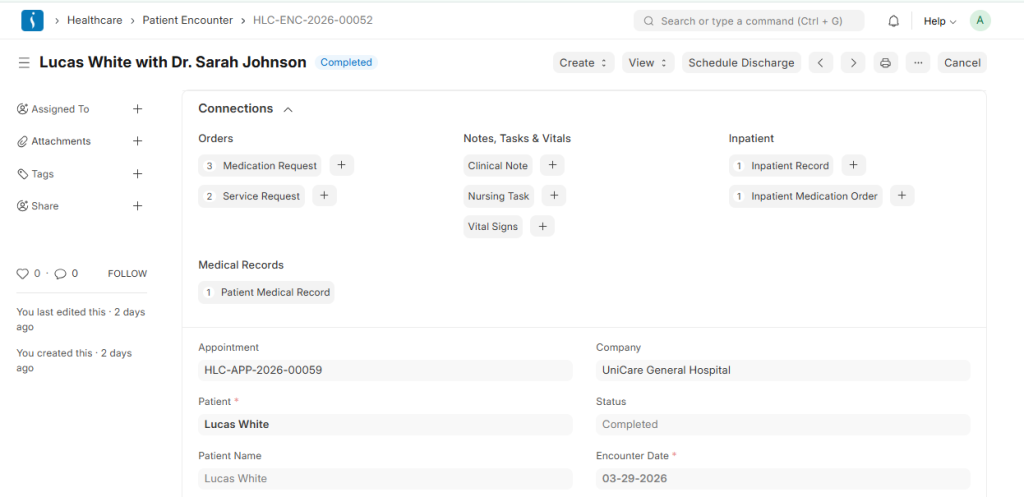
The orders module used to manage and track all medical orders given by healthcare practitioners during patient treatment. It ensures that requests for services, medications, and other healthcare activities are properly recorded and executed by the relevant departments. This module helps hospitals maintain an organized workflow and ensures that every medical order is carried out efficiently.
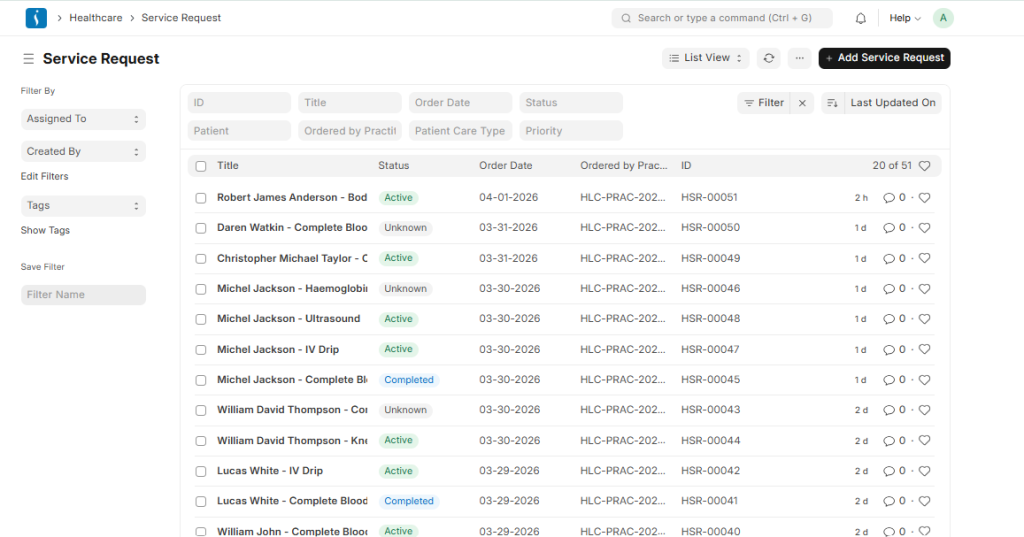
● Service Request: A Service Request is created when a doctor orders a specific healthcare service for a patient. This may include lab tests, imaging services (X-ray, Ultrasound), nursing tasks, or clinical procedures. The request is sent to the appropriate department so that the service can be performed and recorded in the system.
● Medication Request: A Medication Request is used when a doctor prescribes medicines to a patient. It records details such as the medicine name, dosage, frequency, and duration of use. This information helps pharmacists prepare the medication and ensures that patients receive the correct treatment.
4. Inpatient
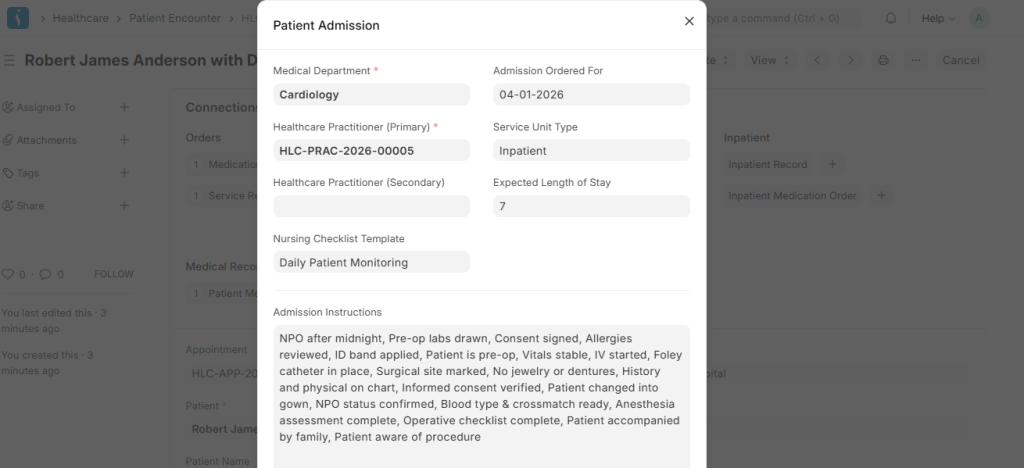
The Inpatient Module is used to manage patients who are admitted to the hospital for treatment. It helps track the patient’s stay, medications, and treatment activities throughout the admission period. This module ensures that doctors, nurses, and hospital staff can properly monitor and manage the care provided to admitted patients.
● Inpatient Record: The Inpatient Record is created when a patient is admitted to the hospital (IPD). It contains details such as the patient information, admission date, assigned room or bed, healthcare practitioner, and treatment plan. This record helps track the patient’s hospital stay until discharge.
● Inpatient Medication Order: This is used when a doctor prescribes medications for an admitted patient. It includes details such as the medicine name, dosage, frequency, and duration. These orders guide the nursing staff on what medicines should be given to the patient during their hospital stay.
● Inpatient Medication Entry: This feature is used by nurses or hospital staff to record the actual administration of medicines to the patient. It confirms that the prescribed medication has been given at the correct time and dosage, ensuring proper medication management and patient safety.
5. Laboratory
The Laboratory Module manages the complete process of laboratory testing from collecting patient samples to generating test results. This module helps laboratories organize diagnostic activities, maintain accurate records, and ensure timely reporting for doctors and patients.
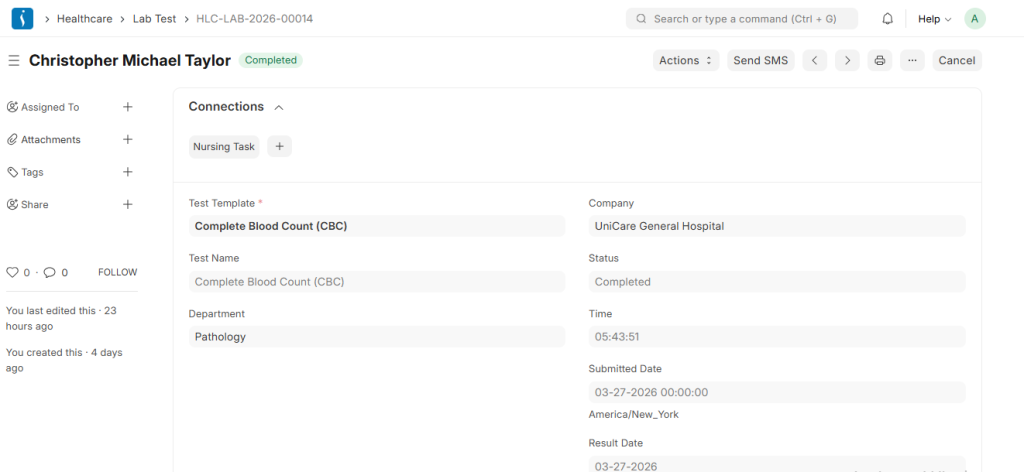
● Lab Test: A Lab Test is created when a doctor requests a diagnostic test for a patient, such as blood tests, urine tests, or imaging-related laboratory analysis. It records the test type, patient details, and observations. After the laboratory technician performs the test, the results are entered into the system and used by doctors for diagnosis and treatment.
● Sample Collection: Sample Collection is the process of collecting the required patient sample for the laboratory test, such as blood, urine, or saliva. This step ensures that the correct sample is taken and properly recorded before the test is performed in the laboratory.
6. Nursing
The Nursing Module helps manage nursing activities and patient care tasks within the hospital. It ensures that nurses can efficiently track assigned duties, monitor patient care activities, and follow standard care procedures. This module improves coordination between doctors and nursing staff and ensures proper patient care management.
● Nursing Task: A Nursing Task is an activity assigned to a nurse for patient care. These tasks may include administering medication, checking vital signs, wound dressing, or monitoring patient conditions. The system helps nurses track and complete these tasks on time.
● Healthcare Activity: Healthcare Activity records the daily care activities performed for a patient, such as monitoring health status, assisting with treatments, or supporting recovery processes. It helps maintain a proper record of all care-related actions.● Nursing Checklist Template: This template provides a standard checklist for nursing procedures. It ensures that nurses follow the required steps while performing medical tasks, helping maintain quality care and reducing the chances of errors.

7. Rehabilitation and Physiotherapy
The Rehabilitation and Physiotherapy Module is designed to manage the treatment and recovery process of patients who require physical therapy or rehabilitation. This module helps physiotherapists assess patient conditions, create therapy plans, monitor progress, and maintain complete medical records throughout the rehabilitation journey.
● Therapy Session: A Therapy Session records each physiotherapy session conducted for the patient. It includes details such as the therapist, exercises performed, session duration, and patient response to the treatment.
● Patient Assessment: Patient Assessment is used to evaluate the patient’s physical condition, mobility, pain level, and overall health before starting therapy. This helps the therapist understand the patient’s needs and plan appropriate treatment.
● Therapy Plan: A Therapy Plan defines the complete rehabilitation program for the patient. It includes the type of therapy, exercises, session frequency, and treatment duration.
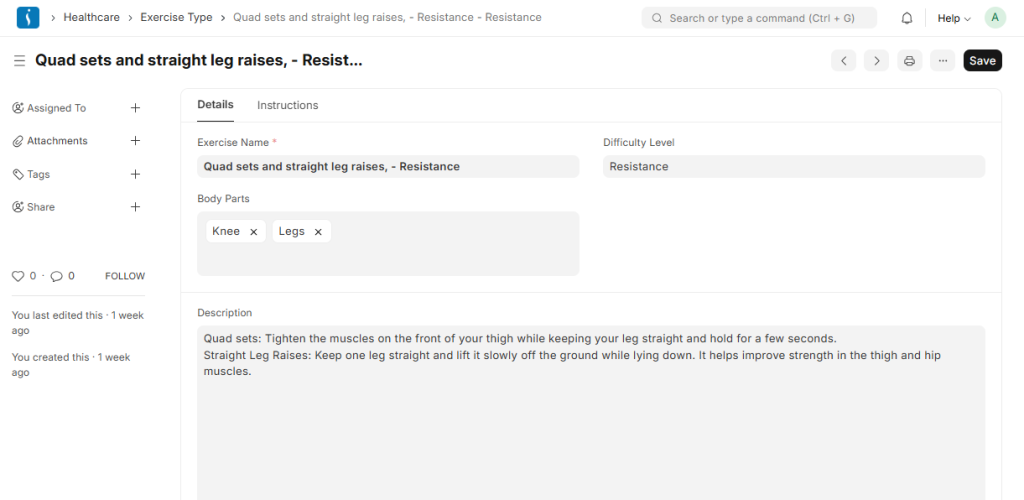
● Exercise Type: Exercise Type lists the different exercises used during physiotherapy sessions, such as stretching, strengthening exercises, balance training, or mobility exercises.
● Therapy Type: Therapy Type categorizes the different types of therapies provided in rehabilitation, such as physiotherapy, occupational therapy, or acupuncture therapy.
● Therapy Plan Template: This template helps create standardized therapy plans that therapists can reuse for patients with similar medical conditions.
● Patient Assessment Template:
This template provides a structured format for evaluating patient health conditions during the assessment process.
8. Diagnostic
The Diagnostic Module in a healthcare ERP is used to manage and record patient diagnostic results in a structured and efficient way. It helps doctors and laboratory staff analyze test results, track observations, and generate accurate medical reports for better diagnosis and treatment decisions.
● Diagnostic Report: A Diagnostic Report is the final report generated after a lab test or diagnostic procedure. It contains the patient details, test results, and conclusions based on observations. Doctors use this report to diagnose the patient’s condition and plan further treatment.
● Observation: Observation refers to the individual test result values recorded during a diagnostic test, such as Hemoglobin level, WBC count, RBC count, or Platelets. These observations form the basis of the diagnostic report.
● Observation Template: An Observation Template is a predefined structure that defines which observations should be recorded for a specific test. For example, a Complete Blood Count (CBC) template may include Hemoglobin, WBC, RBC, and Platelets as standard observations.
9. Service Units
The Service Units Module in a healthcare ERP is used to manage the physical service locations where medical care is provided to patients. It helps hospitals organize their facilities such as rooms, wards, beds, and treatment areas, ensuring that patient services are delivered in the correct location.
● Healthcare Service Unit: A Healthcare Service Unit represents a specific location or facility in the hospital where healthcare services are provided. Examples include patient rooms, ICU beds, operation theatres, consultation rooms, or dialysis units. These units help hospitals assign patients to appropriate locations during treatment or admission.
● Healthcare Service Unit Type: Healthcare Service Unit Type defines the category of service units available in the hospital. For example, types may include Ward, ICU, Operation Theatre, Consultation Room, or Emergency Room. This classification helps organize service units and manage hospital resources more effectively.
10. Consultation Setup
The Consultation Setup Module in a healthcare ERP defines the foundational elements required for patient consultations. It standardizes appointments, procedures, prescriptions, and treatment planning, enabling doctors and healthcare staff to deliver consistent and organized care. This setup ensures smooth workflows during consultations and accurate medical documentation.
● Appointment Type: Defines different types of patient appointments, such as general consultation, follow-up, telemedicine, or emergency visit. This helps schedule patients efficiently and allocate the right resources.
● Clinical Procedure Template: A predefined template for medical procedures that doctors frequently perform, such as IV drip, wound dressing, minor surgeries, or injections. It ensures consistency in recording procedures during consultations.
● Treatment Plan Template: Provides a standardized framework for treatment plans, including therapies, medications, or follow-ups. It helps doctors quickly create structured plans for patients with similar conditions.
● Dosage Form: Specifies the form in which medication is administered, such as tablet, syrup, injection, or ointment. This ensures correct prescription details for pharmacy and patient use.
● Prescription Dosage: Records the amount of medication to be given at each administration, ensuring patients receive the correct dose.
● Prescription Duration: Defines how long a patient should take the prescribed medication, helping track treatment timelines and ensure adherence.
● Complaint: Captures the patient’s reported symptoms or health issues during consultation. It serves as the basis for diagnosis and treatment.
● Diagnosis: Records the doctor’s medical assessment of the patient’s condition based on symptoms, tests, and observations. This guides treatment and follow-up care.
11. Laboratory Setup
The Laboratory Setup Module provides the foundational configurations required for smooth laboratory operations. It ensures that lab tests, samples, measurements, and diagnostic procedures are standardized, making lab workflows accurate and efficient.
● Lab Test Template: A predefined template for common lab tests, such as Complete Blood Count (CBC), Liver Function Test, or Urine Analysis. It standardizes the observations, parameters, and procedures for each test, ensuring consistent results.
● Lab Test Sample: Defines the type of sample required for a lab test, such as blood, urine, saliva, or tissue. This ensures correct sample collection and proper identification for each test.
● Lab Test UOM (Unit of Measurement): Specifies the measurement units for test observations, like mg/dL, g/L, cells/mcL, or percentages. This standardization ensures accurate recording and interpretation of
lab results.
12. Report
The Reports Module in a healthcare ERP provides insights and analytics that help hospitals and clinics make informed decisions.
● Patient Appointment Analytics: This report tracks and analyzes patient appointments, including appointment volume, cancellations, no-shows, and practitioner availability. It helps hospital administrators optimize scheduling, manage workloads, and improve patient flow.
● Lab Test Report: This report provides a summary of laboratory tests conducted, their results, and observations. It helps track lab performance, monitor test outcomes, and support diagnostic decision-making by doctors.
Benefits of Using Uni Healthcare
Implementing Uni Healthcare brings multiple benefits for hospitals:
- Improved Efficiency: Streamlines workflows across departments.
- Error Reduction: Minimizes manual errors in patient records and billing.
- Enhanced Patient Care: Reduces waiting time and ensures accurate treatment tracking.
- Centralized Data: Offers real-time access to patient data and analytics.
- Regulatory Compliance: Helps hospitals maintain accurate records for audits.
Why Hospitals Need Uni Healthcare
Hospitals today face increasing patient loads and operational complexity. Adopting a modern hospital management system like UniERP Healthcare is no longer optional:
- Reduces administrative burden on staff
- Improves coordination between clinical and non-clinical departments
- Provides actionable insights for better decision-making
- Enhances patient satisfaction through organized services
Conclusion
Uni Healthcare is a complete hospital management system that transforms traditional hospitals into modern, efficient, and patient-centric healthcare facilities. By integrating all hospital operations into a single platform, it helps hospitals save time, reduce errors, and deliver better care.
Hospitals adopting Uni Healthcare gain a competitive advantage by streamlining workflows, improving data accuracy, and enhancing patient satisfaction.