Introduction
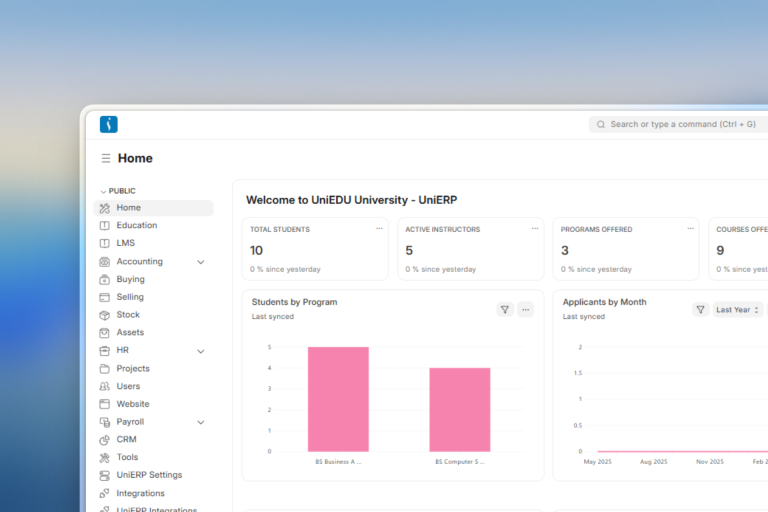
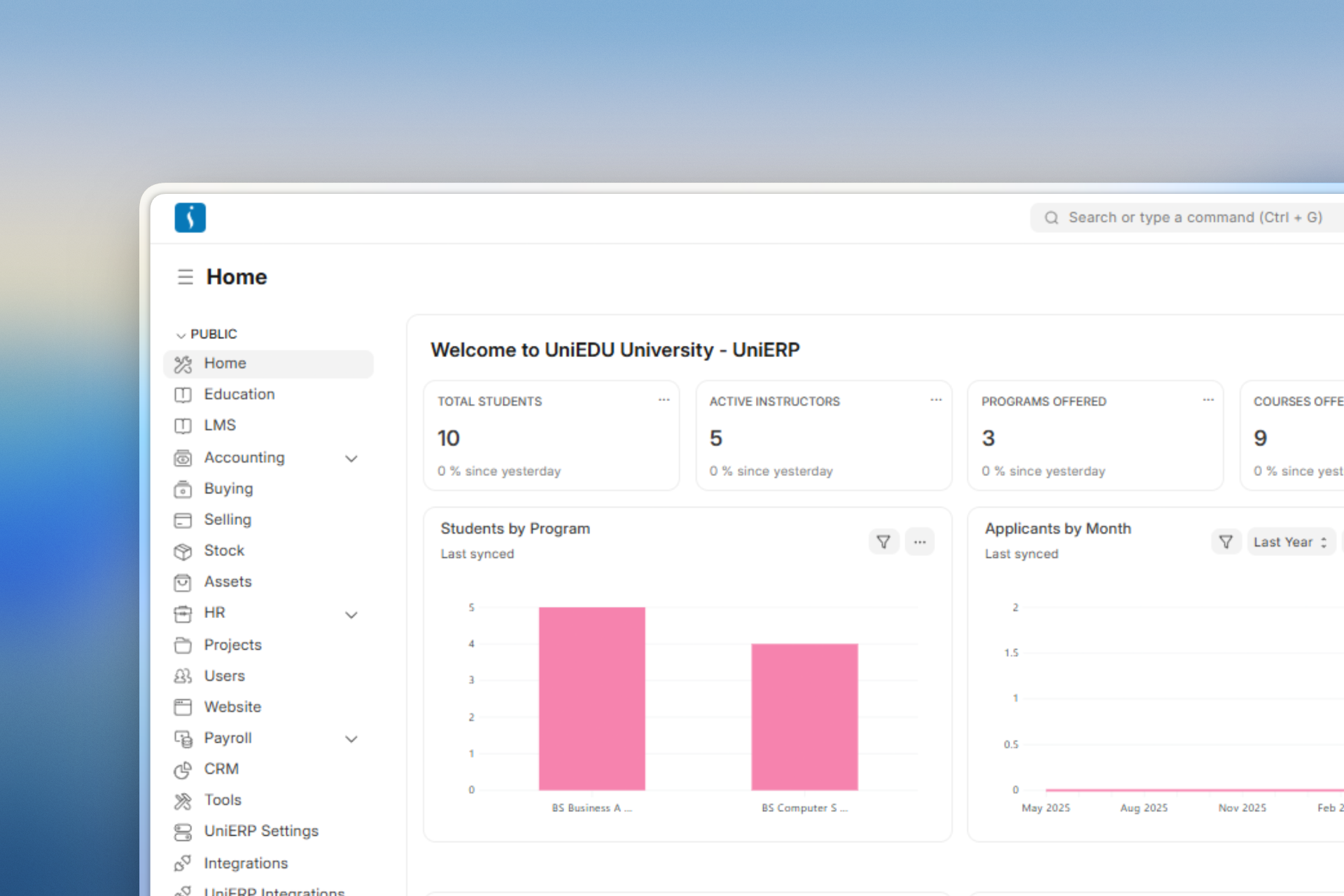
In today’s digital world, educational institutions need smart systems to manage admissions, student records, fees, attendance, examinations, and communication efficiently. An Education ERP system helps schools, colleges, universities, and training institutes automate daily operations from a single platform.
Solutions like UniEdu ERP provide a complete education management workflow that improves productivity, transparency, and student experience.
What is an Education ERP System?
An Education Enterprise Resource Planning system is software that helps educational institutions manage academic and administrative operations through a centralized platform. It connects departments such as admissions, accounts, HR, examinations, libraries, and student management into one integrated system.
Educational institutions use ERP systems to reduce manual work, improve data accuracy, and streamline communication between students, teachers, parents, and administrators.
Key Features
- Student & Teacher Management – Manage student and teacher profiles, attendance.
- Admission Management – Streamline the admission process for new students.
- Fee Management – Organize and manage the fee structure and schedule payments.
- Course Scheduling & Exam Planning – Efficiently schedule courses and manage course calendars.
- Student Portal – Students can visit the portal to check their timetable, attendance, pay fees online, and see current and previous grades.
Workflow in Education ERP
1. Academics
Academic Year
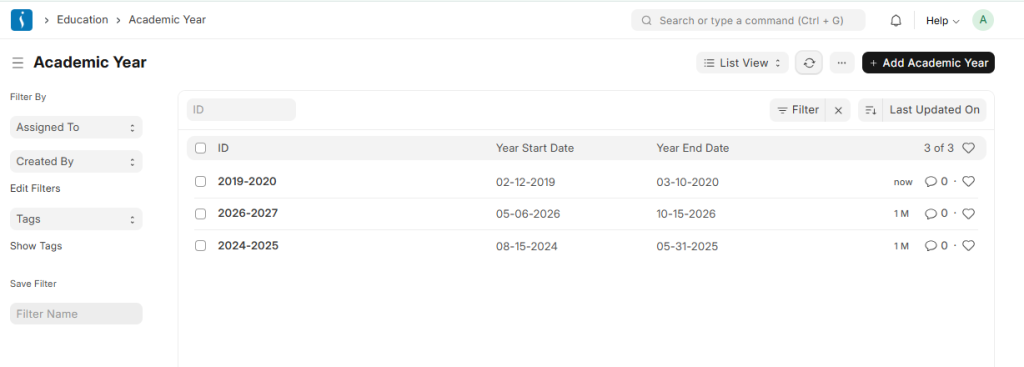
An academic year is the time period educational institutions use to organize and manage a complete cycle of study.
The Academic Year form includes the start and end dates for the academic session.
Academic Term
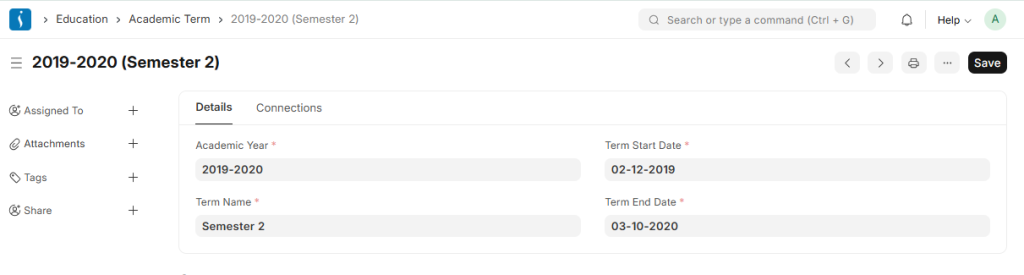
An academic term is a subdivision of the academic year during which institutions evaluate students according to the planned curriculum. Educational institutions may organize terms as semesters, trimesters, or quarters.
In UniEdu Education, administrators can define and manage academic terms by setting appropriate start and end dates.
2. Student Management
Student
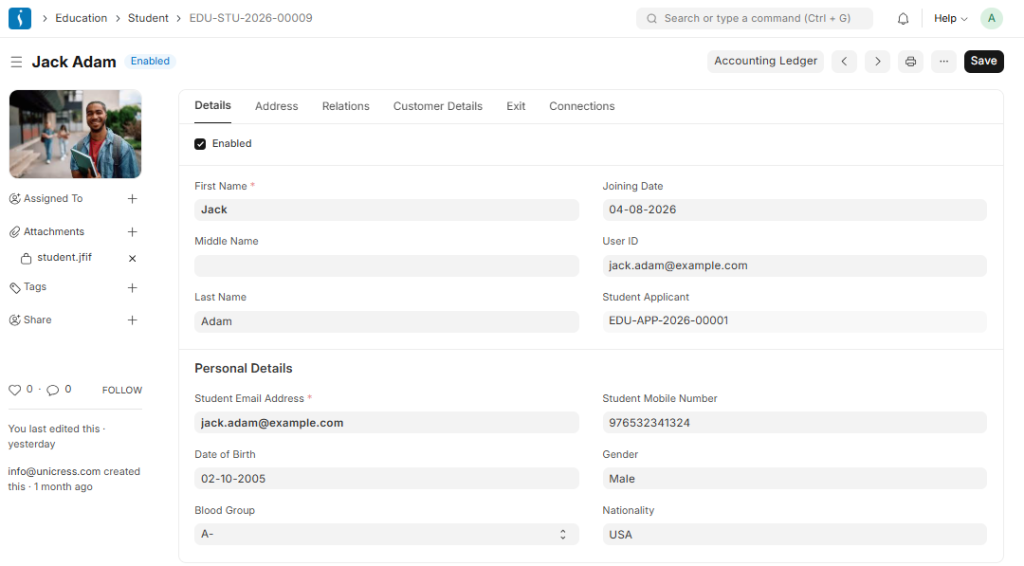
The Student document stores complete student information, including personal details, photographs, date of birth, address, guardian details, and sibling information.
This form will also contain any additional details like the Student’s Guardian and Sibling details.
Student Batch
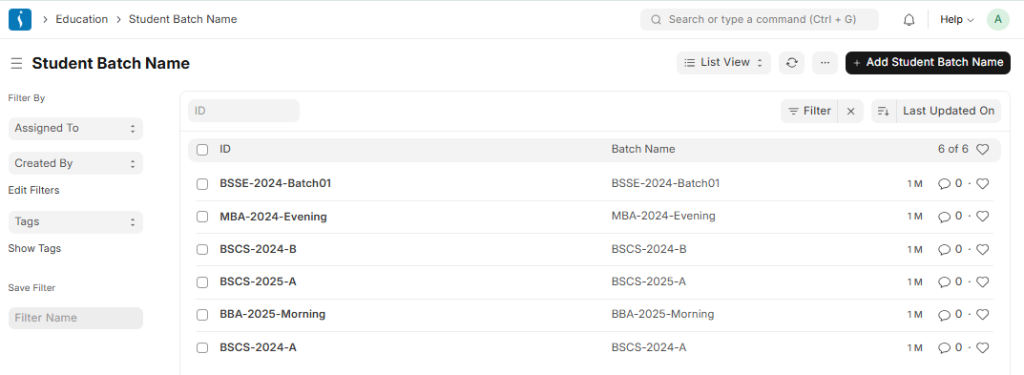
A student batch is a group of students enrolled in the same program and studying together.
For example, students enrolled in the same degree program belong to the same student batch.
Student Applicant
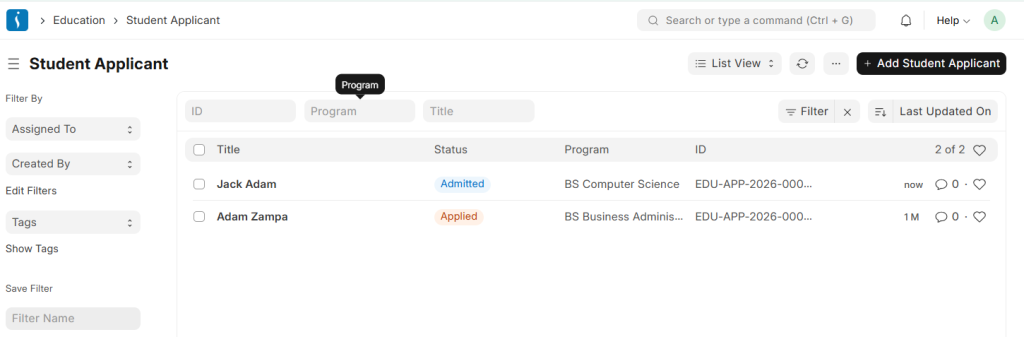
A Student Applicant record is created when a student applies for admission to an institute.
After approval, the system converts the applicant into an official student record.
Student Category
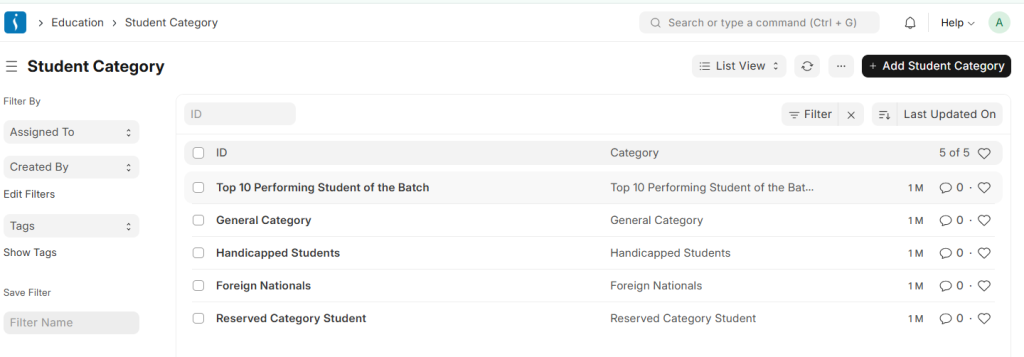
Student Category helps institutions classify students into different groups based on specific criteria.
For example, institutions may create separate categories for foreign students, students with disabilities, or scholarship holders to manage fee concessions and benefits.
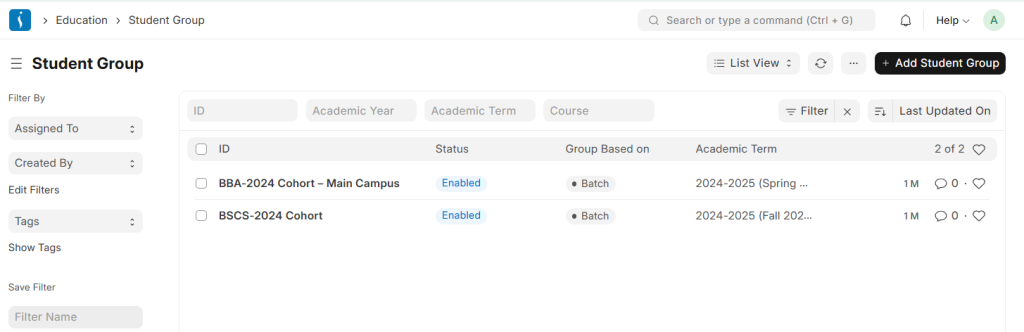
Student Group
A student group is a subset of students from the same batch who enroll in a specific course or elective subject.
For example, students from the same batch who select a particular elective course become part of a separate student group.
Student Admission
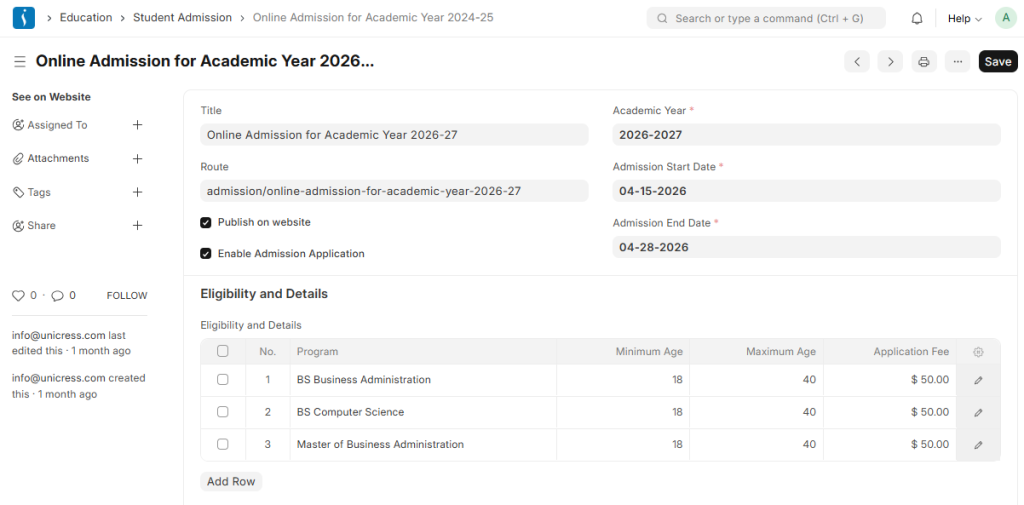
The Student Admission document helps institutions configure and manage the admission process.
Before creating a Student Admission, administrators should first create:
- Academic Year
- Program
Guardian
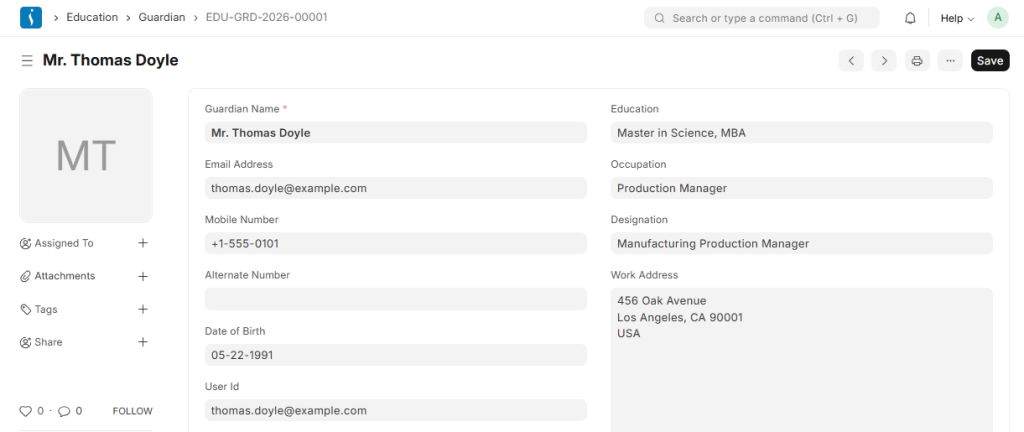
The Guardian record stores guardian information linked to students.
A single guardian can connect with multiple students, which makes family management easier within the ERP system.
3. Program Management
Program
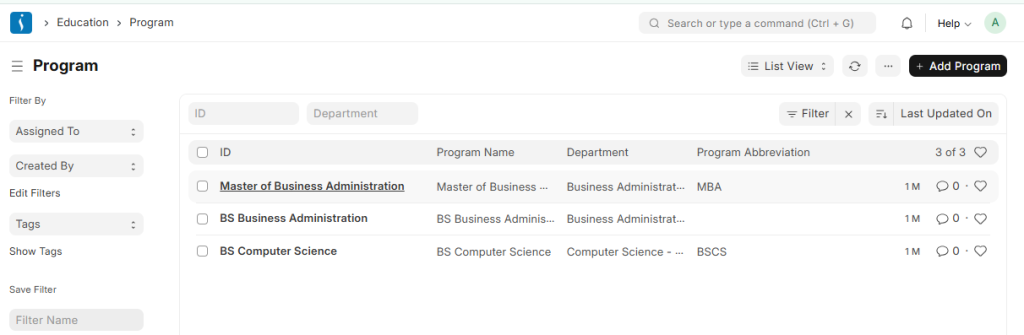
A program consists of an educational curriculum designed by the institute to organize and guide the learning process, including the objectives and structure of each subject or course.
For example, the Bachelor of Computer Science (BSCS) program includes courses like Programming Fundamentals, Data Structures, Database Systems, and Software Engineering, which together define the complete study plan for that degree.
Program Enrollment
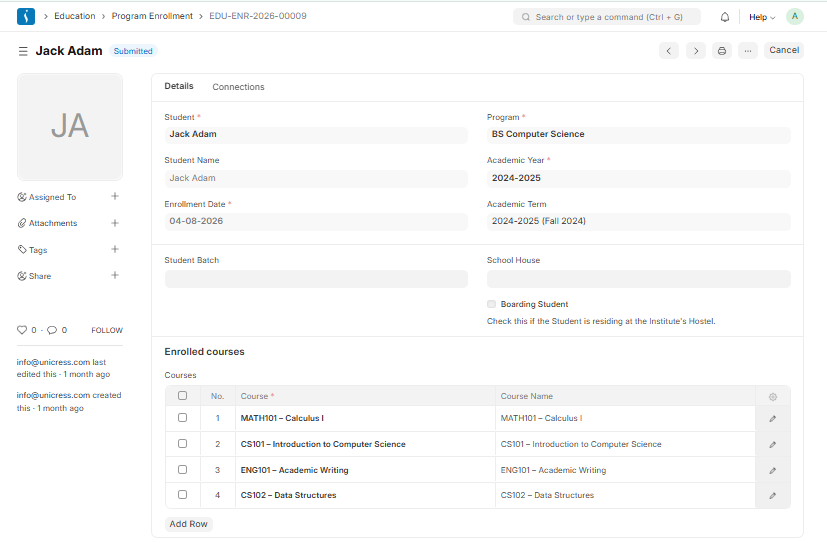
Program Enrollment is the record that registers a student into a specific program along with their selected courses for a particular academic term.
To link students with a program in the system, a Program Enrollment must be created. Mandatory courses are automatically added to the Enrolled Courses list, while elective or optional courses can be selected manually.
Program Enrollment Tool
The Program Enrollment Tool is used to enroll multiple new students into a program at once, or to re-enroll existing students into a different program when required.
4. Course Management
Course
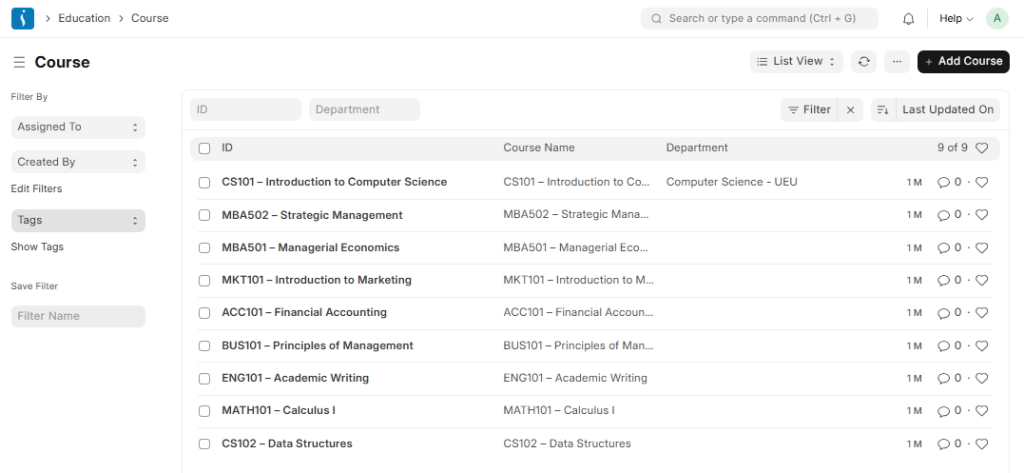
A course is a subject or a component of an educational program that is taught during a specific term.
For example, if Economics is offered as a program in a particular term, then “Mathematical Methods for Economics” would be one of the courses included within that program.
Course Schedule
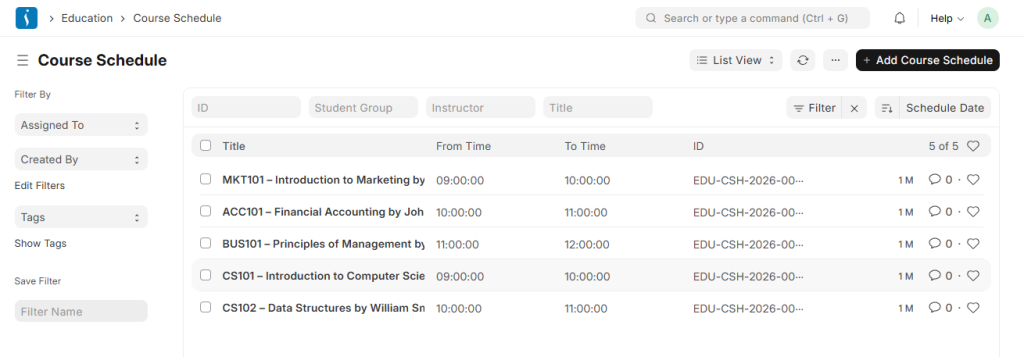
Course Schedule is used to plan and assign a specific course to an instructor for teaching.
With this feature, an institute can create a timetable or schedule where each time slot is organized and managed through course scheduling.
Topic
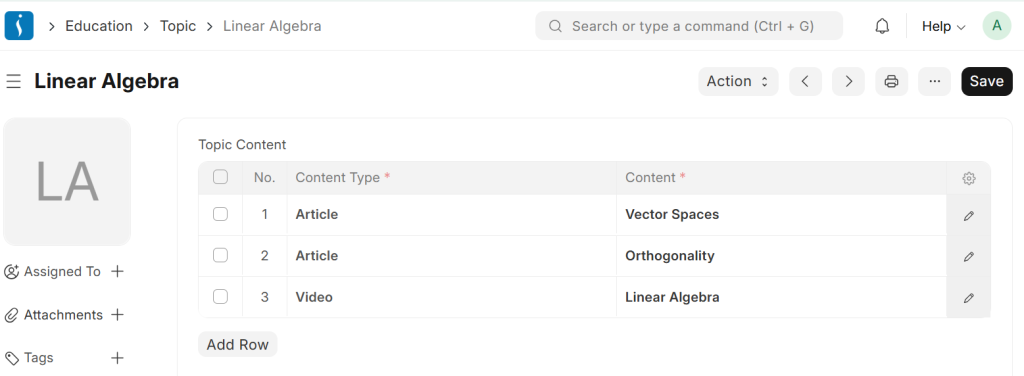
A topic is a smaller unit within a course that includes all the learning material related to a specific concept.
For example, in the Economics Major program, “Mathematical Methods in Economics” is a course, while “Linear Algebra” can be considered a topic within that course.
Course Scheduling Tool
The Course Scheduling Tool enables you to create multiple course schedules at once for a specific student group and instructor.
5. Attendance
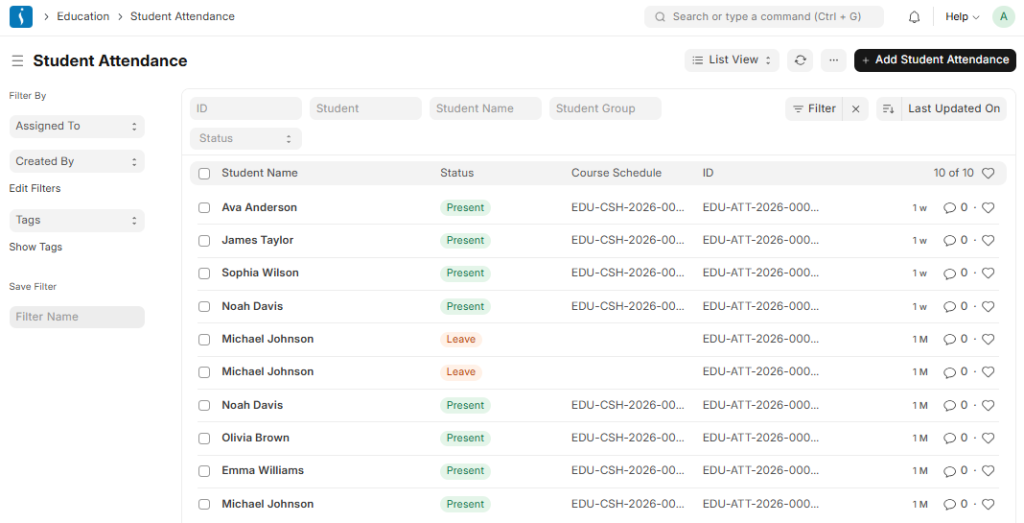
Student Attendance
Student Attendance helps you monitor and manage a student’s daily presence. The Attendance module enables teachers to conveniently record attendance during class sessions.
Attendance records can be created for students on a daily basis.
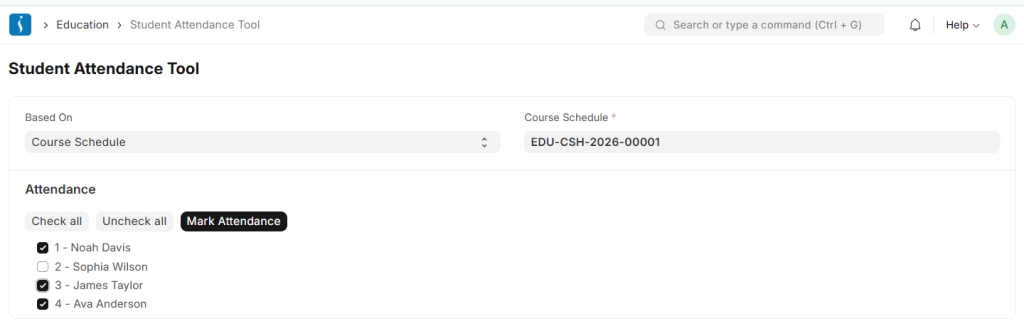
Student Attendance Tool
The Student Attendance tool enables bulk updating of student attendance based on student groups and course schedules.
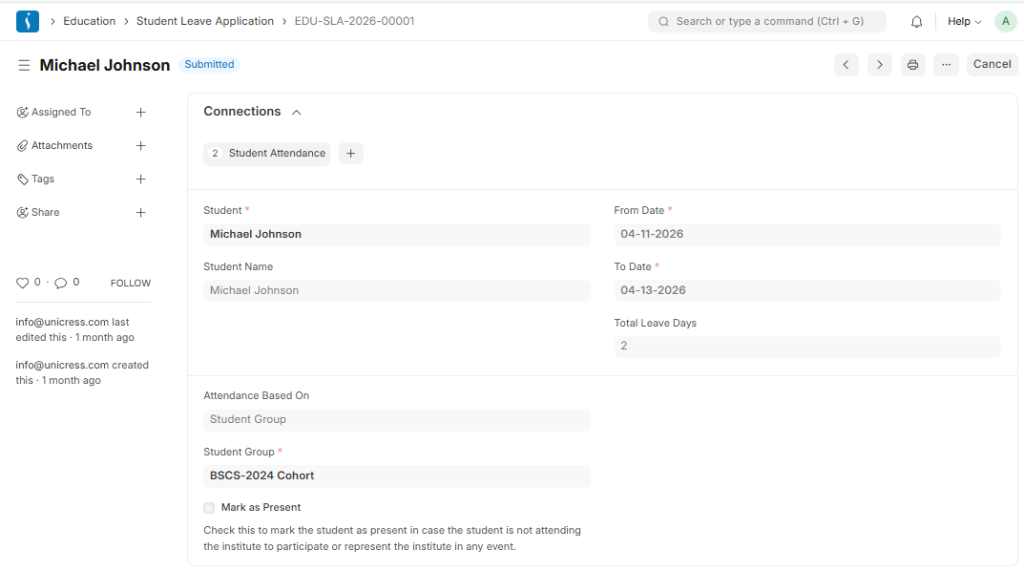
Student Leave Application
A Student Leave Application is a formal record used to track a student’s leave requests.
Once submitted, it automatically creates a Student Attendance entry marked as “Leave.” If the “Mark as Present” option is selected, the attendance status is recorded as “Present.” The leave application remains linked to the attendance record for reference.
If the Student Leave Application is cancelled, the associated Student Attendance record is also automatically cancelled.
6. Assessment
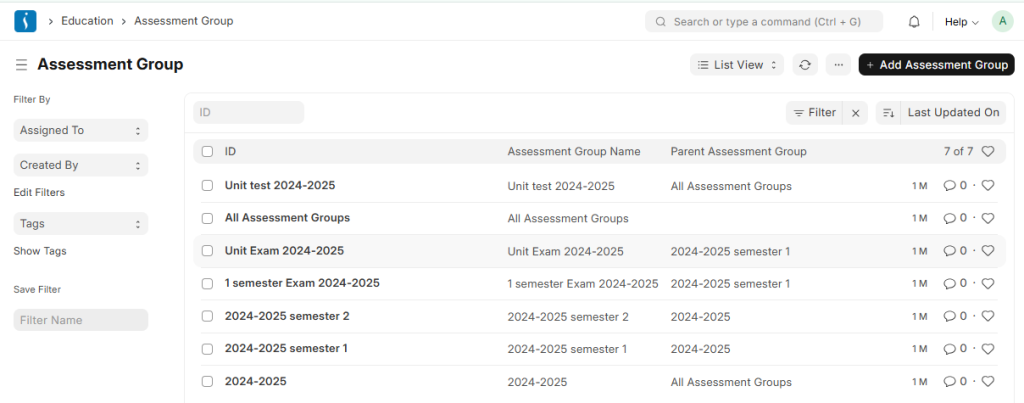
Assessment Group
An Assessment Group tree is a master used to define the hierarchy of examinations conducted in an educational institute.
For example, if assessments are planned for each academic term within an academic year, the Assessment Group can be structured accordingly.
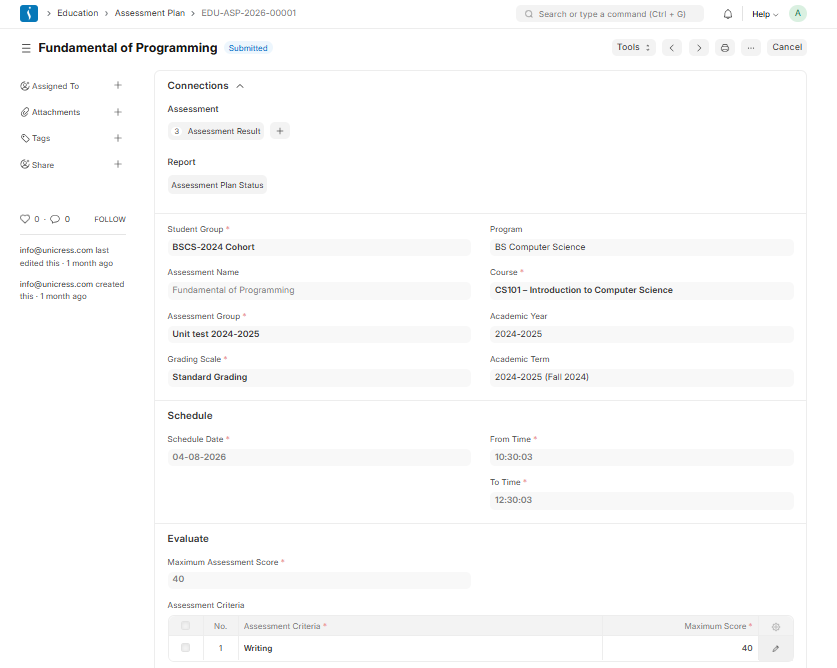
Assessment Plan
An Assessment Plan is a schedule used to conduct examinations or assessments for a specific course among a group of students enrolled in that course during an ongoing academic term.
Assessment Criteria
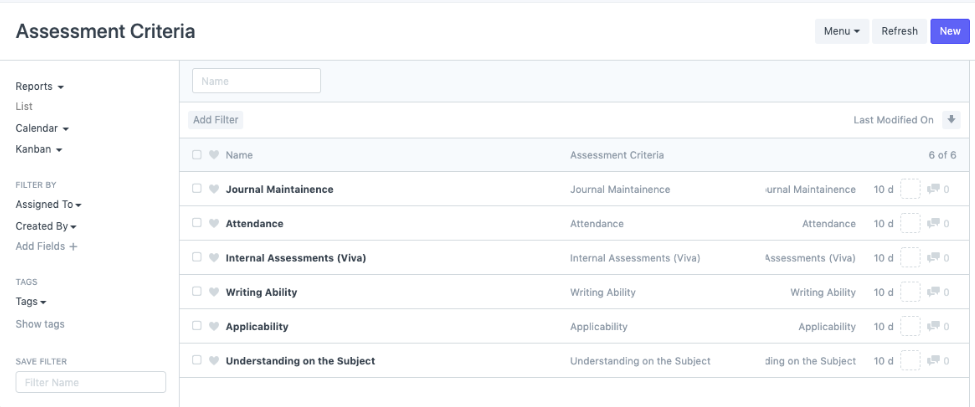
Assessment Criteria are the parameters used to evaluate a student’s performance.
After conducting an assessment for a course, the marks are recorded based on these criteria. For example, in a science subject, students may be evaluated on writing, practical work, presentations, and other skills.Assessment Criteria are also used when creating an Assessment Plan for a specific student group and course.
Grading Scale
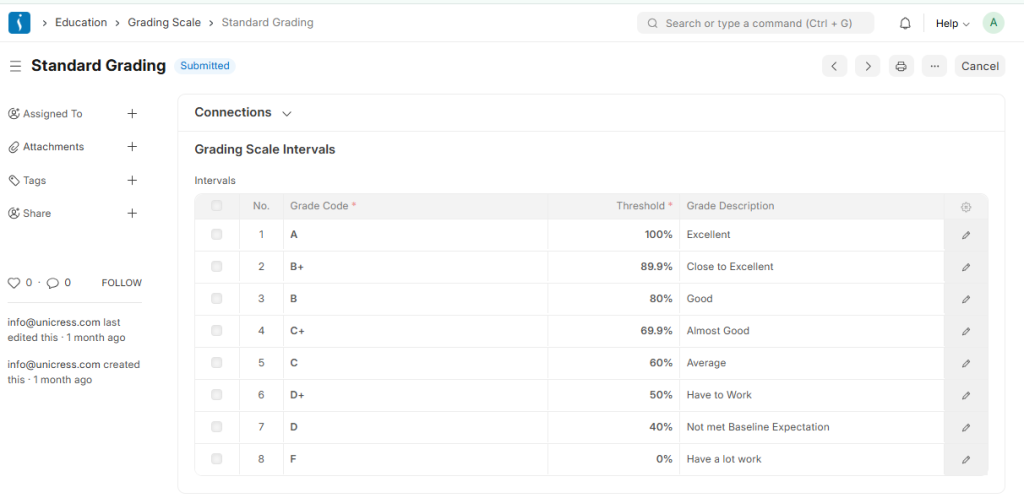
Under the Grading Scale, you can set the score ranges that determine the different grades awarded to students based on their assessment results.
For example, students scoring 90% or above may receive an A+ grade, while those scoring 80% or above may be awarded an A grade, and so on.
7. Fees Management
Fees
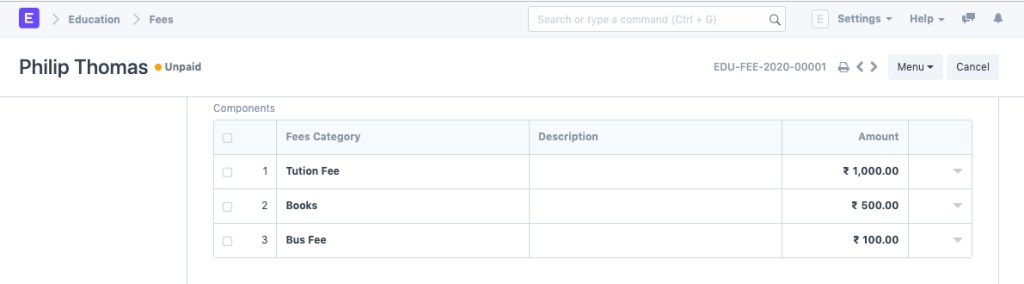
This document is used to maintain the fee records of students.
Whenever a student submits their fees, a new fee record is created containing details such as the student’s information, enrolled program, accounting details, and related payment information.
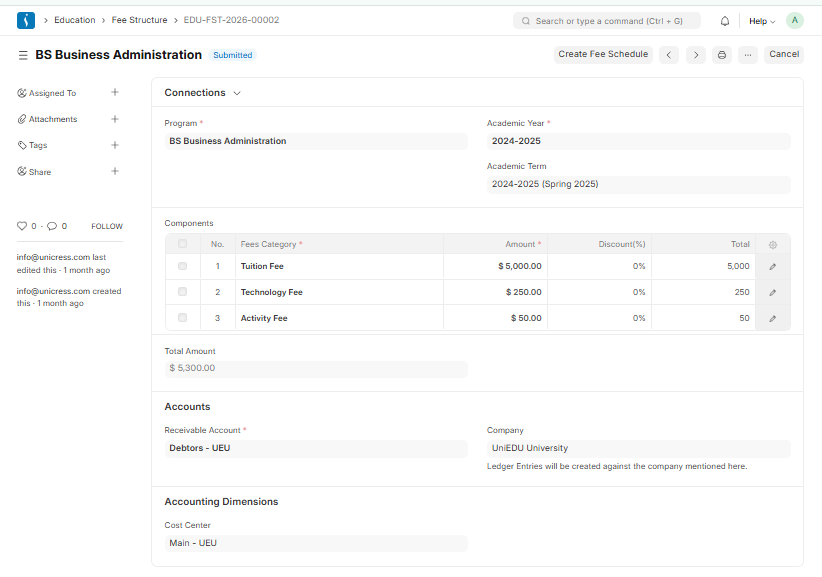
Fee Structure
A Fee Structure is a predefined template used for creating fee records or generating them through the Fee Schedule.
When creating fees for a student, the relevant fee structure can be selected and automatically applied.
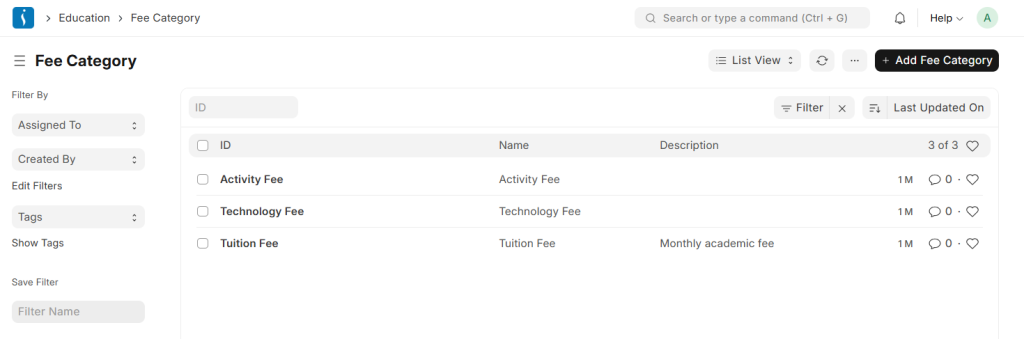
Fee Category
Fee Category defines the different components used in fee calculation and fee structure creation.
For example, Tuition Fees and Hostel Fees are separate fee categories within the overall fee structure.
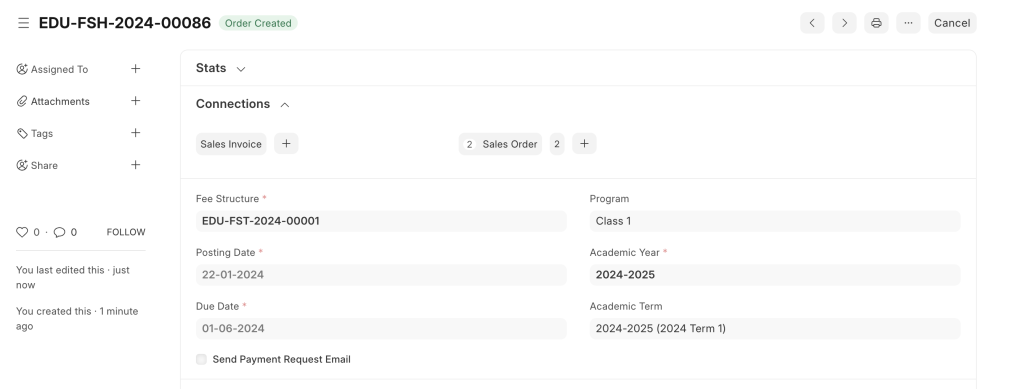
Fee Schedule
Fee Schedule helps define the payment timeline for student fees based on specific student groups.
Conclusion
An Education ERP system streamlines and automates the complete academic and administrative workflow of educational institutions. From admissions and program enrollment to attendance, assessments, and fee management, every process can be managed efficiently through a centralized platform.
With features such as course scheduling, grading systems, student records, and financial management, ERP solutions like UniEdu ERP help schools, colleges, and universities improve productivity, reduce manual work, and enhance the overall learning experience. By digitizing operations, educational institutions can ensure better organization, transparency, and effective communication between students, teachers, parents, and administrators.